MOST SEARCHED

  • Home

:Phone 5s & iPhone 5c Arrive in Italy, Russia, Spain & More Than 25 Countries on Friday, October 25:

 Phone 5s & iPhone 5c Arrive in Italy, Russia, Spain & More Than 25 Countries on Friday, October 25

Available in India, Mexico & More Than a Dozen Additional Countries on Friday, November 1


Apple® today announced iPhone® 5s, the most forward-thinking smartphone in the world, and iPhone 5c, the most colorful iPhone yet, will be available in Italy, Russia, Spain and more than 25 additional countries on Friday, October 25. iPhone 5s and iPhone 5c will also be available in more than a dozen countries on Friday, November 1, including India and Mexico. 


iPhone 5s redefines the best smartphone experience in the world with amazing new features all packed into a remarkable thin and light design, including the Apple-designed A7 64-bit chip, all-new 8 megapixel iSight® camera with True Tone flash and introducing Touch ID™, an innovative way to simply and securely unlock your phone with just the touch of a finger. iPhone 5c features an all-new design, packed with features people know and love like the beautiful 4-inch Retina® display, blazing fast performance of the A6 chip, and the 8 megapixel iSight camera—all while delivering great battery life.¹ iPhone 5s and iPhone 5c both offer more LTE bands² than any other smartphone in the world and include all-new FaceTime® HD cameras.

iPhone 5s and iPhone 5c come with iOS 7, the most significant iOS update since the original iPhone, featuring a stunning new user interface, completely redesigned with an elegant color palette, distinct, functional layers and subtle motion that make it feel more alive. iOS 7 has hundreds of great new features, including Control Center, Notification Center, improved Multitasking, AirDrop®, enhanced Photos, Safari®, Siri® and introduces iTunes Radio℠, a free Internet radio service based on the music you listen to on iTunes®.³

iPhone 5s comes in gold, silver or space gray for a suggested retail price of $199 (US) for the 16GB model, $299 (US) for the 32GB model and $399 (US) for the 64GB model.⁴ iPhone 5c comes in blue, green, pink, yellow and white for a suggested retail price of $99 (US) for the 16GB model and $199 (US) for the 32GB model.⁴ iPhone 5s cases come in beige, black, blue, brown, yellow and (RED) for a suggested retail price of $39 (US) and iPhone 5c cases come in blue, green, pink, yellow, black and white for a suggested retail price of $29 (US). iPhone 5s, iPhone 5c and cases for both phones will be available through the Apple Online Store (www.apple.com), Apple’s retail stores and select Apple Authorized Resellers. iPhone 4s is available for free with a two-year contract from participating carriers.

Every customer who buys an iPhone 5s or iPhone 5c at an Apple retail store will be offered free Personal Setup service, helping them customize their iPhone by setting up email, showing them new apps from the App Store℠ and more, so they’ll be up and running with their new iPhone before they leave the store. Customers can learn more about iOS 7 and their new device through new free workshops at all Apple retail stores worldwide.

iPhone 5s and 5c will be available on Friday, October 25 in Austria, Belgium, Bulgaria, Croatia, Czech Republic, Denmark, Estonia, Finland, French West Indies, Greece, Hungary, Ireland, Italy, Latvia, Liechtenstein, Lithuania, Luxembourg, Macau, Malta, Netherlands, New Zealand, Norway, Poland, Portugal, Reunion Island, Romania, Russia, Slovakia, Slovenia, South Korea, Spain, Sweden, Switzerland, Taiwan and Thailand. iPhone 5s and 5c will also be available on Friday, November 1 in Albania, Armenia, Bahrain, Colombia, El Salvador, Guam, Guatemala, India, Macedonia, Malaysia, Mexico, Moldova, Montenegro, Saudi Arabia, Turkey and UAE. Both iPhone 5s and iPhone 5c are currently available in the US, Australia, Canada, China, France, Germany, Hong Kong, Japan, Puerto Rico, Singapore and the UK.

¹ Battery life depends on device settings, usage and other factors. Actual results vary.
² LTE is available through select carriers. Network speeds are dependent on carrier networks, check with your carrier for details.
³ iTunes Radio is available with iOS 7 in the US.
⁴ For qualified customers.

Apple designs Macs, the best personal computers in the world, along with OS X, iLife, iWork and professional software. Apple leads the digital music revolution with its iPods and iTunes online store. Apple has reinvented the mobile phone with its revolutionary iPhone and App Store, and is defining the future of mobile media and computing devices with iPad.

EnjOy..:)
Bugs Of Techn0l0gy
No comments:
Email ThisBlogThis!Share to XShare to Facebook
Label: Apple, iMac, ios, iOS7, ipad, iPhone, iPhone 5C, iPhone 5S, IT Information, mobile, OS, price, Reviews, Smartphones, technology

:How to use Burst Mode on the iPhone 5S:

How to use Burst Mode on the iPhone 5S

Apple's latest flagship iPhone, the 5S, includes some enhancements to the camera, including a new Burst Mode.


When Apple unveiled the iPhone 5S, one of the main feature sets shown off during the presentation was the camera improvements. Two of the new features stood out more than others, were slo-mo videos and a new Burst Mode.
Burst Mode will take photos at up to 10 frames per second on the 5S, so you don't miss the best shot. This comes in especially useful when taking a photo of a child, or an action shot and timing isn't easy.
To use Burst Mode on the iPhone 5S, you launch the Camera app and ensure that you're using either the Photo or the Square setting.
Next, frame your shot and then tap and hold on either the shutter release button on the screen, or the volume-up key on your iPhone.
You'll hear the familiar shutter sound, but instead of just one click, you'll hear a rapid series of them. You'll also find a count indicator on the screen next to the shutter button, going up faster than you can count. This count lets you know how many photos you've snapped in a quick burst.
Don't worry, though, the software in the iPhone 5S will group all of the photos from the same burst into one thumbnail. Doing so prevents any clutter in your Camera Roll, especially if you take a long burst of 50 or 60 photos.
 
When viewing a set of burst photos, you'll notice a few extra pieces of information on the screen. The first is how you can identify a set of burst photos, complete with a count of photos in the bunch.


The second is the Favorites text at the bottom. What happens after you take a burst of photos is iOS 7 automatically selects what it thinks is the best photo of the bunch and shows that as the main photo. When you tap on Choose Favorites, you're able to scroll through the photos in the set and select a different favorite, or even select multiple favorites. Doing so will copy your selections and paste them into your Camera Roll where you can then share, edit and do what you'd like with the photos.
Deselecting a favorite photo will remove it from your Camera Roll, without removing the copy stored in the original set of burst photos.
When using an older iOS device you may note you can also hold in the shutter button and it will snap a series of photos. While that behavior is similar to that of the iPhone 5S, it's not near as fast, and you'll also notice that all photos taken are placed in your Camera Roll, instead of being grouped as they are on the 5S.
What do you think of the new Burst Mode on the 5S? Is it something you have used, plan or using or will never use? Have you taken an amazing photo only made possible by Burst Mode? Feel free to share it with us below in the comments.

EnjOy..:)
Bugs Of Techn0l0gy
No comments:
Email ThisBlogThis!Share to XShare to Facebook
Label: Apple, Articles, Camera, Concept, Customize, ios, iOS7, iPhone, iPhone 5, iPhone 5S, IT Information, mobile, OS, Photo, Reviews, Smartphones, technology, Tricks, Tutorials

:Five apps to help you track your steps on the iPhone 5S:

Five apps to help you track your steps on the iPhone 5S

The iPhone 5S tracks your daily step count, but doesn't have the option to display totals built into it. You'll need to use an app for that.


The M7 coprocessor in the iPhone 5S is a fancy name for a chip that counts your steps and motion all day, every day. In order to see how many steps you've been taking, you'll need to use an app specifically built for the iPhone 5S and the M7 chip.
While we wait for more developers to integrate the M7 and the stats it keeps into apps, there are currently five apps available that have already integrated with the motion tracker. Here they are in no particular order.

Strava Run
This free app has been around for a while giving runners stats and GPS-created maps of running routes. With the M7 having the capability to discern if someone is walking or running (among other things), it only makes sense for the app to integrate with the new technology.
You won't find your daily step counts in Strava Run; instead you will find that it uses the M7 chip to automatically pause your current activity when you stop running, and provide better accuracy about your run.
Download Strava Run from the App Store.
 
Argus
Argus is more than a simple step counter app in that it also wants you to enter your daily weight, and track meals, water intake, and more. Basically, it's a health app that also happens to use the M7 chip to more accurately count your steps.
The first time you launch Argus, you may be surprised to find that it automatically populate your last week's worth of steps. This is because of the M7 recording and storing this data, regardless of what apps are installed, for the last seven days.
As you'll find with most of the pedometer-type apps that use the M7, there's also the option built into Argus to have your current step count displayed as a notification on the app icon.
Download Argus from the App Store for free
 
M7 Pedometer - Steps
This free app is built with one purpose: to show you how many steps you take on a daily basis.
It will provide you with your current step count for the day, along with your step count for the last week, and a total for the current year.
You can also view a graph charting your step counts over the last month. If you want to go back to a previous month, just swipe to the right.
With the iPhone 5S and the M7 having only been out for a few weeks now, there isn't a lot of historical information available, but I can see these graphs increasing in value in the future.
Download M7 Pedometer - Steps from the App Store.
 
Pedometer++
Pedometer++ is a bare-bones pedometer app. It displays your current step count for the day, along with the step count for the last seven days, and that's it. You can't share via Twitter or Facebook, and you can't view a graph or even go back in time.
Actually I lied, there is one additional feature built into the app: the ability to display your current step count as a notification on the app icon.
The step count should automatically refresh when you first launch the app, but if for some reason you don't think it has, the developer built in the capability to pull to refresh.
Download Pedometer++ from the App Store.
 
WeatherRun
WeatherRun is the only app that's not free. It'll set you back $1.99, but it provides more than just a step count.
The app was originally designed to help runners better track their runs by providing weather and altitude stats.
With a recent update adding M7 support, WeatherRun will now also show users their daily and monthly step counts, just as the apps above will do.
Download WeatherRun from the App Store.

As someone who wears a Fitbit Flex on a daily basis, I have some questions about the accuracy of the iPhone 5S and the M7 chip.
I've found the step count on my iPhone to be roughly half (if not less) than that tracked by the Fitbit. Granted there are times when I walk around for a few minutes with my iPhone sitting on the desk, but when I have Fitbit telling me I took 5,000 steps yesterday and the iPhone 5S telling me I only took 1,700 steps, something's not right.
Even if you already wear an activity monitor and have an iPhone 5S, download one of the free apps mentioned above and compare the results with the ones from your monitor. What's your experience like?

EnjOy..:)
Bugs Of Techn0l0gy
No comments:
Email ThisBlogThis!Share to XShare to Facebook
Label: Apple, Articles, Customize, ios, iPhone, iPhone 5, iPhone 5S, IT Information, Smartphones, technology, tip, Tips, Transformation, Tricks, Tutorials

:iPhone 5s Stocks Said To Be Low, Get In The Queue Now If You Want One:

iPhone 5s Stocks Said To Be Low, Get In The Queue Now If You Want One


News has surfaced that supplies of the iPhone 5s are considerably lower than past releases. Carriers and Apple stores alike have both reported that there will be fewer phones available than usual.

iPhone 5s

All Things D has reported that its sources at carrier level have expressed concerns over phones supplies, with one even going as far to say , “We will have grotesquely unavailable inventory.”
According to another report, 70-80 percent of iPhones in stock at Apple stores on Friday will be the iPhone 5C, whilst the silver and gold models of the 5S will be very difficult to come by.
The cause of this shortage has not been commented on officially but with Apple releasing two new handsets at once, as well as the impending release of iOS7, it’s not really surprising that there could be less iPhones to go around.
Another expantion could be that Apple is just saving the bulk of the iPhones for itself, getting more customers to go directly to them when the handset becomes unavailable through carriers, then maybe shoppers will be tempted into other purchases at the same time.
Whatever the reason, if you plan to get your hands on the iPhone 5s on Friday, then choose your queue carefully. Carriers could potentially have shorter lines but less stock, whereas Apple stores will have more stock but longer queues. It’s a tricky one!

EnjOy..:)
Bugs Of Techn0l0gy
No comments:
Email ThisBlogThis!Share to XShare to Facebook
Label: Apple, Articles, ios, iPhone, IT Information, mobile, OS, price, Reviews, Rumors, Smartphones, technology, Theme, tip, Tips, Tutorials

:Apple Releases New iMac With Iris Pro:

Apple Releases New iMac With Iris Pro

inSh
Following the release of the new iPhone 5S and iPhone 5C, Apple has given its iMac a small revamp. The new release brings Haswell cores from Intel, new NVIDIA Corp. GPUs, improved Fusion drives and more ports.
Last October Apple made major changes to the iMac line, which included a new 5-mm thick aluminum frame. This time round the changes are more subtle but nonetheless contribute to making Apple’s all-in-one (AIO) personal computer a serious contender in the bid for the best value in the market.

iMac

Currently Lenovo dominate the AIO PC market after over-taking Apple. So what does the new iMac have to offer? Well the revamped model comes with  8 GB (upgradable two 32 GB for 27-inch, 16 GB for 21.5-inch) of 1600 MHz DDR3 and a 1 terabyte “Fusion” drive, a mostly hard disk hybrid drive with an undisclosed amount of NAND flash onboard (upgradable to 3 TB traditional HDD, a 256 GB SSD, or a 512 GB SSD).
Apple’s AIO PC comes with a wireless “Magic Mouse” and wireless keyboard. It also has 802.11ac Wi-Fi and the following ports:
  •     SDXC card slot
  •     Four USB 3 ports (compatible with USB 2)
  •     Two Thunderbolt ports
  •     Mini DisplayPort output with support for DVI, VGA and dual-link DVI (adapters sold separately)
  •     10/100/1000BASE-T Gigabit Ethernet (RJ-45 connector)
  •     Kensington lock slot
The 21.5-inch model of the iMac, which costs $1,299 comes with the on-die Iris Pro GPU inside the Intel Haswell 2.7 GHz quad-core Core i5- 4570R processor.
Apple claims that it has been able to significantly improve the hardware and firmware of its proprietary Fusion drives, thus making performance 50 percent faster than the previous generation.
Compared to the competition, Apple has priced the new iMacs rather aggressively. Even those who want a Windows 8 AIO can now consider a new iMac via Boot Camp, which supports Windows 8.

EnjOy..:)
Bugs Of Techn0l0gy
No comments:
Email ThisBlogThis!Share to XShare to Facebook
Label: Apple, Concept, Customize, iMac, ios, iPhone, IT Information, OS, Smartphones, technology, tip, Tips, Transformation, Tricks, Tutorials

:BBM for iOS and Android Release Date:

BBM for iOS Release Date

BlackBerry Messenger is close to becoming a cross-platform messaging service for the first time, but when will you be able to download the app on your Android and iOS devices? BlackBerry has been pretty quiet about launch dates up until now, but a new rumor claims BBM will hit Google Play this Friday, September 20, before landing on the App Store a day later.
Indonesian website TeknoUp has published an invite to a BBM launch event in Jakarta at 12 p.m. local time on Thursday, September 19. BlackBerry is expected to confirm at the event that BBM for Android and iOS will be available before the end of the week.
 We cannot confirm the invitation is genuine, and we’re yet to hear about similar events in the U.S. or Canada — but CrackBerry has also received some dates for BBM’s cross-platform launch, and they line up perfectly. Here’s what you can expect, then, according to CrackBerry:
  • Friday, Sept 20th, 7am EST: Android version published on Google Play
  • Friday, Sept 20th, 7am EST: BBM.com goes live
  • Friday, Sept 20th, 7am EST: CRM messages sent out to pre-registrants
  • Saturday, Sept 21th: BBM on iOS becomes available 12:01 am EST, Saturday Sept 21st in local time zones.
  • Saturday, Sept 20th, 7am EST: Follow-up CRM message sent out after full App Store deployment
We had suspected that BlackBerry might wait until after Apple has launched its new iPhones before launching BBM for Android and iOS, but clearly it’s not too concerned about the news being buried under iPhone reviews and related stories.
So, if you’re lucky enough to be picking up a new iPhone on Friday, it looks like you’ll be able to use BBM on it the following day

EnjOy..:)
Bugs Of Techn0l0gy
No comments:
Email ThisBlogThis!Share to XShare to Facebook
Label: Android, Apple, BBM, ios, ipad, iPhone, ipod, IT Information, Reviews, Smartphones, Software, technology, Transformation

WIP games, GPU scaling and BennuGD 2

First of all, let me show you something I'm working on with the guys at Pixelatom.
My TV looks small to you?
Buy me a new one!
Yep, Monkey vs Robots is coming to the Ouya and iOS soon.
The game is basically ready but we need to set up the in-app purchase process in Ouya. You can check the game's site (and purchase the Windows version) here.
Here's the game trailer:
While preparing the port something beautiful happened: SDL2 was released, along with some beautiful docs on porting your SDL 1.2 code to the new version.
The docs include specific info on how to put fully rendered frames (like those BennuGD creates) to screen through a texture AND includes info on how to use SDL's new SDL_WINDOW_FULLSCREEN_DESKTOP mode. What this new fullscreen mode does is that instead of changing your monitor's resolution (that flickering you see when launching some games), it creates a window with your screen's native resolution and then scales your game's contect up to that resolution.
Now, that's pretty much what some BennuGD games -including MvR- do using scale_resolution. The problem with BennuGD's current implementation of scale_resolution is that it works completely by software and that is SLOW.
SDL's implementation, however, works completely by hardware if supported by your platform. I did a quick switch to this new method, and here are some preliminary results:
Performance of MvR in an iPod touch  4G while using BennuGD's current software implementation
Performance of MvR (the same DCB file)  in the same iPod Touch 4G when using hardware scaling
XCode shows you how much time your code spends doing different thigs. The graphs above show a metric of how long it takes your program to render each frame, where is that time spent (CPU vs GPU) and how many FPS it's running at.
When rendering the frame completely by software, we can only render ~10fps and it takes 113ms to render each frame, most of which (101 ms) are CPU time. The game is unplayable.
When switching to GPU scaling, the FPS meter goes up to 21fps*. The total CPU time is now 58ms, 46 of which are CPU time.

That this means is that with the current software scaling in BennuGD, the iPod was spent more than half the time just scaling frames, Not drawing stuff or performing game logic: just making the fully rendered frame look bigger. And when we offload that job to the GPU, well... the GPU time doesn't even increase.

The new code is not yet publicly available, but I'll upload it to my SVN server soon, but you should not have to do anything in your BennuGD code to be able to use the new functionality.

This is, obviously, huge for BennuGD and when presented to the rest of the community sparked a very interesting discussion: we might switch the whole rendering pipeline to SDL2's new SDL_Render API.
This should -finally- give us full hardware rendering on targets that support it (Direct3D in Windows, OpenGL in Linux/Mac, OpenGL ES in iOS/Android) while having a software rendering fallback stack on the rest of targets. Most interestingly, to do this we'll have to actually remove a lot of code from BennuGD, and change some other tiny bits.
We might call this BennuGD 2. I'll keep you posted ;)

* Remember that this is an iPod Touch 4G, which won't be supported by iOS 7, so we can consider this the lowest performance we'll get in any iOS device.
No comments:
Email ThisBlogThis!Share to XShare to Facebook
Label: Android, bennugd, bennugd 2, CPU, Direct3D, fps, GPU, ios, mvr, opengl, opengles, ouya, pixelatom, scale_resolution, SDL2, svn

New release coming, this time for iOS too!

So, today I've been working on getting the latest BennuGD for Android code up to shape.
This version bundles pretty much the same core BennuGD code -with a small but important bugfix- from previous releases but is compiled against SDL2 RC3.

What you'll get from this next version depends on what your Android version (I'll support Android 2.3.3 and above) is, as shown below:
  • All versions of Android:
    • Standard BennuGD
    • mod_multi: Multitouch support, created by me. See an example here.
    • mod_chipmunk: Physics library based on the excellent Chipmunk library. Have a look here, too.
    • mod_curl: Web request support, created by me. based on cURL. You can use it to download stuff from the web on the go from your app. See an example here.
    • fsock: Low level networking library. Really powerful, but you must have some insight into how networks works in order to use it.
    • mod_sensor: Sensor access library, created by me. It allows you to access the readings from all the sensors in your devices (gyroscopes, accelerometers, barometers, proximity sensor, light sensor...). It looks like I'll have to write some sample code...
    • Some level of gamepad support.
  • Android 3.1 and over:
    • Mouse support. You can have interfaces that act differently if you're using a real mouse/trackpad than they do when used with fingers. You'll also be able to tell from code when the cursor is moving but the user isn't clicking.
  • Android 4.0 and over:
    • When the user presses the mouse/trackpad button, you'll be able to tell if it's a left/middle/right click (through mouse.left, mouse.right...)
  • Android 4.1 and over (this includes the OUYA!):
    • Your games will be able to fully utilize joysticks in Android, as long as Android recognizes them as such.
      In theory, you can set up an unlimited number of joysticks and the user can connect them through USB and/or bluetooth.
I hope you can use this info and that available at the Android DashBoards to plan your game development according to the market shares of the different Android versions.

Enough of Android! If you're an Apple fan, there'll be updates for you as well.
I'm also going to update the iOS builds and include most* of the stuff above, so that you fanboys can have fun, too.

Hope you like the news :)

* I might not be able to include mod_sensor...
No comments:
Email ThisBlogThis!Share to XShare to Facebook
Label: Android, bennugd, dashboards, fsock, ios, joystick, mod_chipmunk, mod_curl, mod_multi, mod_sensor, ouya, SDL, SDL2

:Top 5 iOS 7 Rumors:

Top 5 iOS 7 Rumors

Whenever the time for a new iOS version comes near, pundits and average users alike run around like headless chickens, declaring and wishing for features that are needed and wanted. History has taught us that where there is smoke, there is fire; so when the inevitable slew of iOS rumors hit the Internet, you can say that it’s not a complete waste of your time to keep track of them. There is, of course, the argument that we will get what Apple decides to give us anyway, but where’s the fun in merely sitting back and letting the Internet do its thing without being more than an observer?
Top 5 iOS 7 Rumors
June is almost here, which brings us the the already sold-out WWDC. That means we’re going to – probably – hear the official word on Apple’s latest mobile OS (among other things such as, maybe, the iPad 5). Not being one to pass up on speculating, let me share with you some the top 5 iOS 7 rumors so far.
1. Expect delay
What’s new, really? We cannot ignore the fact that with many tech releases – and not only with Apple – delays are part of the package. What could very well be the highlight of the iOS 7 rumors is this expected delay, which is mainly credited to Jony Ive’s design overhaul. Having seen what Ive has done over the years, though, the chances are that the result will be worth the wait. Oh, and there’s the tiny detail of un-Forstalling iOS.

ios 7 rumors

That being said, the official word is that iOS 7 is expected to be released by September, even though internal deadlines have been moved.
2. Bye bye skeuomorphism
Skeuomorphism  has become a buzzword in recent times, and it has received one bashing too many in my opinion. Maybe my bias toward the design concept has something to do what that. In any case, iOS 7 rumors point to the death of skeuomorphism. Again, Sir Jony Ive is right smack in the middle of the picture with his concept of a very flat design. It’s definitely going to be a huge change. How do you feel about this?


Top 5 iOS 7 Rumors

3. In-car integration of Maps and Siri
Siri can be sassy sometimes. Maps is a dead horse that people should stop beating. Apple has not given up on either of them and, in fact, has continued to make improvements. Going one step further, another of the iOS 7 rumors that we’ve been hearing is that Apple is collaborating with car makers in order to make Maps and Siri an inherent part of car center consoles. Specifically, instead of proprietary GPS software, a plugged-in iPhone will allow Apple Maps to be used. Do you use Apple Maps?

4. Face value
This rumored feature is for those who care about security/privacy so much so that they put a passcode on their iPhone but hate the inconvenience of having to enter those numbers all the time. If the iOS 7 rumors can be believed, then the next iPhone will have an image recognition system which will allow users to unlock their phones without resorting to entering a passcode.
Where does this particular rumor stem from? From a patent which was published earlier this year. For someone who has NEVER used a passcode on her iPhone, I actually wouldn’t mind this feature.

Top 5 iOS 7 Rumors

5. iRadio
I’ve always been one to use different devices for specific reasons. The iPhone is a phone. The iPod Nano is an mp3 player. The iPad is a gaming device. I do understand, though, that many other users prefer to use one device for everything. Hence, the iPhone functions as a phone, music player, ebook reader, and gaming device all in one. If you rely heavily on your iPhone for music, then you will love the last iOS 7 rumor on this list: iRadio.
It makes sense that Apple is not leaving Internet radio alone. And with the not-so-quiet whispers that Apple and Universal Music Group (as well as Warner Music) are close to signing a deal (if they haven’t already), signs are pointing at iRadio becoming a reality in time for iOS 7. Additionally, back in 2009, Apple bought Lala, a music service that is all about allowing users to stream purchased music to their PCs and/or Macs. Back then, the news was that Apple had no intentions of offering a service that would, for example, use Lala to stream music to the iPhone via an Apple-offered subscription-based application. This could very well change soon, though.
When it comes to Internet radio, Spotify and Pandora are the big names, but the entry of Apple will surely make a dent in that space. After all, the number of iTunes users is nothing to scoff at!

Top 5 iOS 7 Rumors

Aside from the existing user base, however, what is Apple banking on to make iRadio a success? We’re still at the rumor stages, remember, but we hear that iRadio will have more on-demand features; and in an age where on-demand is the in thing, this will certainly give iRadio a boost.
Conclusion
So there you have the top 5 iOS 7 rumors. Are you inclined to believe all – or any – of them? Which ones do you actually want to see in the next iOS?

EnjOy..:)
MamoOn..
No comments:
Email ThisBlogThis!Share to XShare to Facebook
Label: Apple, Concept, ios, IT Information, Rumors

:PlayStation App To Be Released For IOS:


PlayStation App To Be Released For IOS


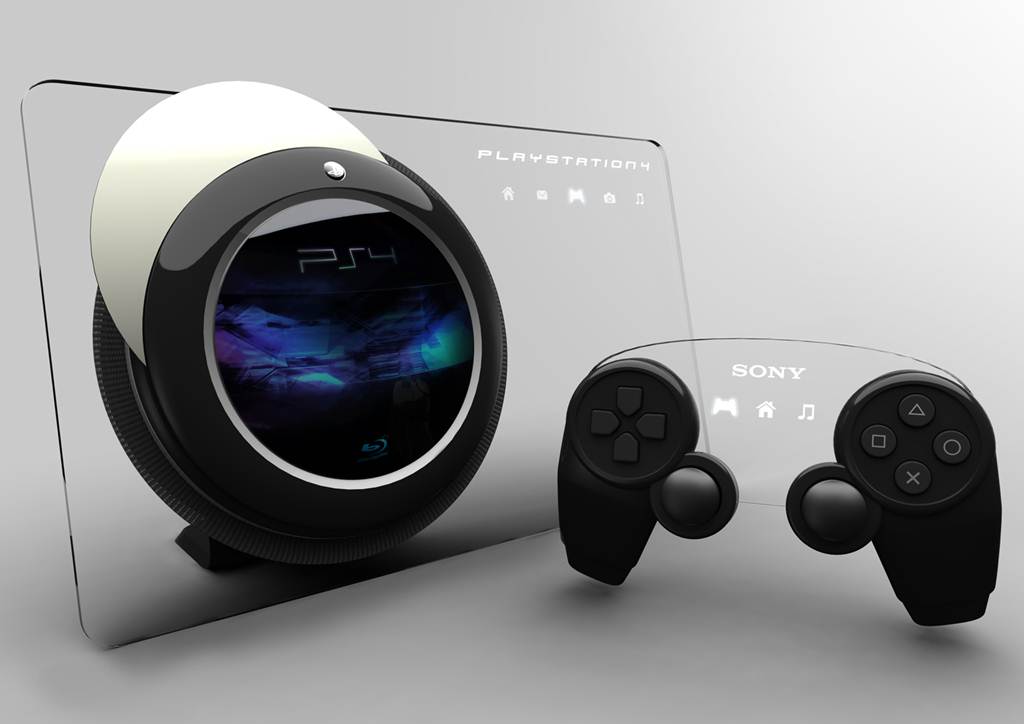
Sony recently announced the launch of the next generation of their PlayStation gaming console, the PlayStation 4. While gaming fans are eagerly awaiting its release, the company also went ahead and explained that people using smartphones and tablets would also be able to play the games available on the platform. How? You would have to download the PlayStation app and you would get access to a wide range of games you can play on PS4.
PlayStation App to Be Released For iOS
The news was made public at the Future of PlayStation conference. It has been a while since Sony had come out with PlayStation 3 and fans were awaiting the release of the next version. Well, that wait is almost over with the announcement that PlayStation 4 would be available for sale soon. The surprising thing is that almost concurrently, Sony revealed the app for their gaming console. Some industry insiders suspect that the app might actually have a negative impact on the sales of PlayStation 4.
However, this is not the case as explained by Sony. The handheld devices would only work as a second screen for users. They would still have to play the game on the console. The app would enable them to supplement the gaming experience by incorporating the use of their iPhone, iPad or any smartphone which runs on Android. This means that the PlayStation 4 would offer the conventional gaming experience, i.e. playing on TV.
The additional option of having a second screen comes into play for adventure games. You can view the map for the game on your device while playing the game on a larger screen. You simply have to download the PlayStation app to your tablet or smartphone to access this new feature. However, this is not the only way in which the new app can be used. It could actually enhance your experience of playing games on the PlayStation 4.
With the PlayStation app, you get access to a large number of PS4 games even when you are not at home. You can buy them through the app and then download them on to your console. What’s more, you will also be able to watch other players in action on your handheld device. It does sound like an exciting feature but whether it would be able to convince people to buy the PS4 remains to be seen. The sales projections are strong so one can only wait for the console to be released.
EnjOy..:)

MamoOn..
No comments:
Email ThisBlogThis!Share to XShare to Facebook
Label: Apple, ios, PlayStation 4

55% of American Cell Phone Owners Have a Smartphone

From Nielen's Report on Mobile Consumers

Nielsen reportsthat smartphones are most popular among the younger and higher income demographics in America.  81% of those aged 18-24 and earning over $100,000 possess a smartphone representing the highest usage of any age and income category.  Overall, smartphones are a popular product: 60% of those aged 25-34 and making less than $50,000 still own a smartphone; and 72% of Americans aged 25-34 earning between $50,000 and $100,000 possessed one.  In early 2012, smartphones achieved the majority share of users in the mobile phone market, and today, 55% of cell phone owners have a smartphone.  Additionally, women are more likely to use apps frequently.  While men retain the greater share of app users, 58% of women actually rank in the top third of app users.  Finally, consumers continue to embrace the iOS and Android operating systems.  In May of last year, the number of Android and iOS users topped off at 49 million, but this figure pales in comparison to the number of users by May of 2012: 90 million.  
No comments:
Email ThisBlogThis!Share to XShare to Facebook
Label: America, Android, cell, data, ios, iPhone, news, nielson, old, operating system, owner, phone, poor, rich, SB, smartphone, U.S., user, young

Robbed

Last week someone stole my Android phone and my iPad. As I was using those as a basis for development on this project development just got harder.

For iOS development I can still use my iPod touch but for the Android port I'm stuck with the emulator for now.

This makes things a bit more complicated for me, as the Android emulator is quite slow. On the bright side, this should force me to focus on getting the x86 build of BennuGD for Android working (it's not building in the r8 version of the x86 NDK right now because of this bug, hopefully version r8b fixes it).

I just wanted to apologize to those who sent me money for the iPad for not keeping it safe enough. I've been able to remotely lock the device. The phone should get locked in the next 48 hours, too.
Hopefully the bastard who robbed me will be left with two useless devices pretty soon.

[Update] NDK version r8b doesn't fix the bug....
No comments:
Email ThisBlogThis!Share to XShare to Facebook
Label: Android, bennugd, fundraising, ios, ipad, ipod, robbed

Lots of things, new iPad game

First of all, I'd like to thank all those who donated for the iPad fundraise! I already wrote directly to those who donated, but I want to publicly thank them, too.
Here's a couple of photos of the iPad showing a post on the BennuGD forums and Puzsion running in the iPad (it works great!):


It's a refurbished iPad 2 -they're a bit less expensive- with 16GiB storage space and it's pretty cool, so thanks!
In the days since I wrote the last post, a few things that might interest you happened:
  • After buying the iPad, I believe I found the cause of the graphic glitch that appeared in it and I believed I've fixed it: BennuGD automatically starts the graphic mode to a default one (320x240) and then when you do a set_mode() it tries to switch to the mode you specify.
    For some reason, this was failing in the iPad 2 but not in the rest of hardware from Apple nor in the Simulator.
    The workaround is that now BennuGD won't set the graphic mode until you do a set_mode. This also helps in Android.
  • 32bpp graphics mode is now working in iOS! iOS -like OSX- uses BGR color ordering, instead of RGB, like most other OSes do. I integrated DCelso's patches for the PSP and expanded them a bit where needed and now 32bpp seems to be working just fine.
    There's still some work to be done, yet, as now all the iOS games start in 32bpp, no matter what you set with set_mode(). It shouldn't be a problem in most cases, but you know, this project wants to always be as compatible with upstream BennuGD as possible.
  • I created and integrated mod_curl. It's just a wrapper around libcurl that allows you to work woith resources in the internet. This allows you to perform two very interesting tasks:
    • Download resources from the internet, thus allowing you to bypass the 20MiB AppStore limit.
    • Do some client-server communication like fetching highscore tables from your servers, checking for updates...
  • Integrated mod_fmodex, which is another wrapper around FMOD Ex. FMOD Ex is one of the most powerful sound engines available and it's used in many AAA games. Right now it provides sound playback with variable frequency plus spectrum analysis (think Singstar) for both microphones and playing sound. The binding will be expanded in the future as needed so if you feel a particular area needs improvement, please let me know.
    Please take into account that FMOD Ex is a commercial product and it costs quite a bit of money in case you want to profit from it. Check here for a full list of prices. Also, please note that FMOD Ex is entirely optional. You can continue to use the regular BennuGD sound system, as usual.
  • Integrated mod_multi into the iOS builds so that people using iOS -the code was already working in Android- can implement multitouch in their games. The implementation is still a bit rough around the edges, but it's working and solving the remaining issues should be easy.
  • I compiled the old code found in the available templates for the simulator and uploaded it to the google code project site.
  • I integrated mod_curl into the old code found in the available templates and uploaded both the iOS and the iOSSimulator templates. You can find these in the Downloads page in the project site.
  • I compiled the new code found in the SVN -containing the new code which directly uses  the SDL1.3 API and not its ugly SDL1.2 compatibility layer- into a template and sent it to those who donated for the iPad 2.
  • I worked with the guys at iPhoneGamesDev.com on their new iPad game called iDraw for Family, which you can already get from here.
    Yeah! I coloured the teapot! Did I unlock any achievements?
That's pretty much it! In the next few days I'll try to upload some sample code for the new modules so that those interested can start coding with them.
Hope you liked the news!
No comments:
Email ThisBlogThis!Share to XShare to Facebook
Label: bennugd, bgr, DCelso, family, idraw, ios, iphonegamesdev, libcurl, mod_curl, mod_fmodex, mod_multi, multitouch, SDL1.3, template

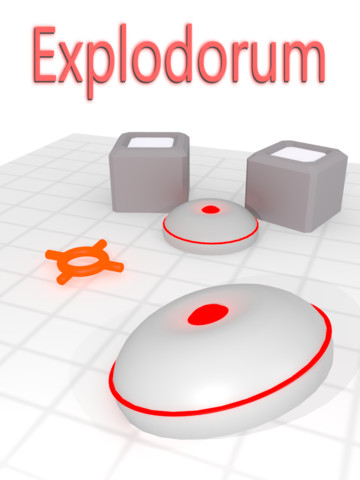
New BennuGD iPad game: Explodorum HD

Today xDan is presenting his new BennuGD iPad game called Explodorum HD with his indie development group Garnet Games and we're happy to celebrate :)
In xDan's own words:
Explodorum is a new and unique bomb blasting logic puzzle game that will relax and twist your mind in equal measure. It's designed especially for iPad with crisp high resolution graphics and full use of the available display.
Hope you like it!

No comments:
Email ThisBlogThis!Share to XShare to Facebook
Label: bennugd, explodorum, ios, ipad

Android port progress, multitouch module

Yesterday I finally got a couple of important things working regarding BennuGD on Android:
First of all, the guys working on SDL workarounded what appears to be a bug in Android that caused APK resource loading to fail, so now you can just package your game's resources into the APK and directly load them from there. There's nothing special you have to do from your BennuGD code. Up until now you'd had to use resources found in the user's SD card, which isn't particularly useful...

Another important thing is multitouch support: Yesterday I created a module to support multitouch. It's based in SDL 1.3 so it should work in both iOS & Android (and on desktops too, if you're still using that sort of devices :P), although I have just tested it in Android. It's still quite buggy but it's working. You can see a very simple preview of how it's working (the sample has some background music although I'm not sure it can be heard in the video) below:

The video is pretty crappy, but you get the idea.
Also, touch sensitivity is better than it looks like in the video.

Those are two very important things to have working for a game engine running on Android so I'm quite happy to see them working.

As per the work left regarding the Android port of BennuGD before we can call it a release, the list of things to do goes as follows:
  • Fix image loading: The colormode for PNG loaded images is not working as expected (yet). Not sure about other formats.
  • Handle rotation: The programmer should have a way to control how they want the phone to respond to rotations when their game is working.
  • I believe that right now we don't have a way to know when the app is in second plane->let the programmer know it through mod_wm.
  • Fix set_mode. Right now the video mode is set for you to your device's default resolution and, if you call set_mode again, Bennu crashes.
  • learn where the programmer must keep their persistent data.
  • [Update mod_chipmunk+compile mod_sqlite3 in].
  • Test it!
Get your little green devices ready because BennuGD is coming!
No comments:
Email ThisBlogThis!Share to XShare to Facebook
Label: Android, apk, bennugd, ios, mod_chipmunk, mod_multi, mod_sqlite3, multitouch, png, set_mode, Video

BennuGD for iOS splash screen by Javis

Javis has posted a splash screen for BennuGD games in iOS.
SplinterGU has vectorized the image with Inkscape and softened the image edges. It looks pretty nice so if you want to give them an eye, you can do so here [ES].
Javis' image, you can use it in your games if you like, but be sure to credit him and his Pixelatom studio!

PS:Loading resources from APKs might start working soon!
No comments:
Email ThisBlogThis!Share to XShare to Facebook
Label: Android, apk, bennugd, ios, javis, pixelatom, splashscreen

Update on progress

Just a quick update on the progress of the project:

Android port:
  • I'm trying to add SDL_RWops support to the file operations so that resources can be read directly from the apk instead of from the real filesystem. I'd say the code is now there, but the code has started to crash on launch... I must've broken something during the latest changes but cannot find the cause, will have to investigate.
  • Appart from that, many things were progressing nicely. You can grab a very early preview of the code from here. Install the apk and then place your main.dcb file in /mnt/sdcard/data directory. Be aware that if you call set_mode BennuGD will crash. (Details here).
iOS port:
  • The only remaining issue regarding the iOS port seems to be the color ordering (Apple uses BGR for describing colors, instead of RGB). I've already added code for BGR loading for PNG loading by using DCelso's code for the PSP and PNGs are now loaded correctly. I must now fix MAP loading, which shouldn't take long, either.
  • I also figured out how to use native resolution in iPad and iPhone 4, I'll tell you when I release the new binaries.

Stay tuned!

No comments:
Email ThisBlogThis!Share to XShare to Facebook
Label: Android, apk, bennugd, bgr, ios, progress, rgb, SDL_RWops, SDL1.3

Advance

I just made an interesting commit (if you're into commits, that is) to my branch with changes related to SDL 1.3 support. Main changes are:
  • Finally got rid of the SDL compat layer! (I'm still using it for the mod_key/libkey modules, but I'm not compiling those for the devices).
  • Updated sample bennugd code to include a bouncing PNG.
  • Modes set with scale_resolution and normal seem to redraw the screen fine (although the screen pixel format is not yet correct).
  • Orientation is starting to get set automatically now (there are things to fix yet, though). If width>height, the iOS device will default to a landscape configuration.
  • Other minor changes.
As you might know, in order to use SDL (upon which BennuGD relies) in iOS and Android platforms, you have to use SDL 1.3*, which is the development version of SDL and includes a somewhat major API breakage as compared to SDL 1.2. SDL provides a very buggy 1.2 <-> 1.3 compatibility layer which I just got rid of. Getting rid of it and using the new code allows for better integration with the new platforms and allows us to implement things not possible in SDL 1.2 like multitouch, multi-monitor support, advanced UTF-8 input support....
There are still some bugs I must fix before releasing a new binary, but things are progressing nicely.
When I release the new binary it will most probably also include a new version of mod_chipmunk and maybe a module for handling multitouch that I just began drafting a few days ago.

* Unless you want to use unofficial versions of SDL 1.2, which I don't for different reasons.
No comments:
Email ThisBlogThis!Share to XShare to Facebook
Label: Android, bennugd, commit, compat, ios, orientation, png, SDL, SDL1.3

On the new monolithic architecture

(Cross-posted to bennugd-wii and themostsearched blogs).
I've been wanting to write this post for quite some time now. I feel it's time to share some of my thoughts about how the monolithic version of BennuGD is designed.
If you've followed the bennugd-wii blog since it began, you may already know that the current design is the third iteration of the monolithic version of BennuGD. This article is obviously about the current design.


Why do we need a monolithic version of BennuGD?
Some of you might know that one of the main design goals of BennuGD after forking Fenix was to become modular so, why do we need a monolithic approach?
Well, even if the modular approach seems to have many advantages over a monolithic one, not all the systems support it. BennuGD relies heavily on dynamic libraries (dlls if you're on Windows, so files if you're in most Unix-like systems or dylibs if you're on OSX) and the operating system provides a way of dealing with them.
In most systems, that way is called libdl and it works really well. If you look inside your system you'll realize that there are literally thousands of dynamic libraries lying there, so the system works.
In other -usually smaller- systems we don't have that system nor any other equivalent one and it turns out that some of those systems are particularly interesting for us in the game-making world* so we must find a way to avoid that limitation while conserving as much of the modular design as possible. 


But that makes loading libraries that weren't compiled in impossible, doesn't it?

Yep, that's why I call the design monolithic. It would be perfectly possible/pretty easy to create a design based on the current one that combined both ideas by including some modules inside the main binary and loaded others from external module files, but I didn't bother to create it as I don't feel it makes much sense.


How does BennuGD handle modules?
In trying to understand how to bypass the limitation, we must first understand how BennuGD works with the modules.
This is -roughly- what happens when you ask BennuGD to import a module (let's use mod_video as an example):

  1. BennuGD will look for a file that follows the system naming convention for dynamic libraries in a set of pre-defined directories in your system. For example, in Windows BennuGD would first look for mod_video.dll in the current working directory. Let's imagine the file is found there.
  2. BennuGD asks the system to load the library and quits if it finds any errors.
  3. It asks the system for a list of symbols that define compose it. For example, mod_video_constants_def** would be an array containing the constants defined by the library and mod_video_functions_exports would be an array of the functions that the module provides. There are many more that the libraries can define and they're all completely optional.
  4. Based on the info gathered from mod_video.dll and the rest of the modules BennuGD creates a table with all the information they provide and goes on to compile your code taking that information into account.
So, how to bypass that process?
Well, the best way I could think of when creating the monolithic approach is to construct that table of symbols by hand when creating the BennuGD binaries and compile all their functionality inside the interpreter. Obviously I also had to change the code that performed steps 1-3 so that instead of looking for the symbols in the actual module files it looks for them in the array. As a result when the library loader module is asked to load a module it looks for the library in the array and returns its position in the array (it literally returns a number: look for this library's symbols in the nth row in the array).
You can have a look at that table here; lines 119 and on.

There are two symbol arrays there
It turns out that the BennuGD compiler and the interpreter need slightly different symbols: the compiler doesn't really care about what your program does as long as it is written correctly and therefore it only cares about the symbols that define how a correctly-written program should look like. So it needs to know how a function should be called (which is the function name, what type of/how many arguments it accepts) but it doesn't care at all about what it does.
The interpreter, in the other hand, needs to know everything about what that function does when called.
There are, also, symbols that both parts need to know about (which are a particular libraries' dependencies, for example) and others that are only useful to the interpreter and therefore I chose to split the list of symbols in two: one with the symbols only needed by the interpreter and another one with the symbols useful to both the compiler and the interpreter.


Defining the actual symbols
If you have a look at the code linked above, you'll find that the symbols themselves are not defined in that file but are included from another file called mod_video_symbols.h.
That file doesn't exist in upstream BennuGD and it explicitly declares the the symbols required by the BennuGD compiler and tells the C compiler what the names of the rest of the symbols are and that they're complete declaration will come from somewhere else (hence the extern word in the declaration after the #else clause).
You can see that the last column in the functions list is set to 0 when compiling BGDC. That column should tell BennuGD what C function to call when the user calls that  BennuGD function. As I said, the compiler doesn't care about what that function does and therefore we don't need to declare it. If we did declare it we'd have to compile all the code for all the modules into BGDC, too. There are other more complex reasons to not try to compile all the module code into BGDC, too. 


When compiling the module code, the symbols come from mod_video.c which is the unmodified module file from upstream.


So you're writing the symbols many times!
Yes. The issue would be very easily solvable if I were the main author of BennuGD and that was how the second iteration of the architecture worked.
Unfortunately that meant that any patch from upstream takes a lot of work to be integrated as ALL the symbol-defining files had to be modified by hand: when a change came from upstream I had to locate the exact line where that change was done and apply it by hand into my code. Taking into account that each patch might contain hundreds of changes split across multiple files, that made maintaining the project a huge task even if we forgot that the main goal of the project was not to create a monolithic build of BennuGD but to create a port of BennuGD to a set of new platforms, which meant quite a bit of work by itself.
Right now I can just drop the files from the upstream version of BennuGD into my source tree and upload the code to the SVN server. I still have to be careful with the patches to supoprt platforms not available upstream (Wii, PSP, iOS & Android) but this new way of working makes things much simpler than before.


Advantages of this approach
To start, DCBs compiled with upstream BennuGD work just fine -endianess issues aside- in the monolithic builds and vice-versa.
The modular approach isn't gone. Even if the modules are all inside the binaries, they won't get loaded until you actually import them. This saves memory in some systems and from the user's point of view it's transparent: both architectures behave consistently to him.
My code is prepared to be compiled as either a monolithic build or the normal BennuGD modular structure so you can compile both from the same source code.


So that's pretty much it, hope to hear your thoughts in the comments and hope I made it clear in case it's useful to anybody.


* Consoles like the Wii or the PSP don't support it and other systems like the iPhone do support it but Apple seems to be very restrictive about the use of dynamic library loading in third party applications.
** That's why you cannot just rename your modules, BennuGD would then look for the wrong symbols.
No comments:
Email ThisBlogThis!Share to XShare to Facebook
Label: bennugd, chipmunk, design, ios, mod_chipmunk, monolithic, programming, wii

Template updated, includes mod_chipmunk!

Today I'm publishing an updated version of the template that integrates mod_chipmunk.
You can see what mod_chipmunk can do in the video below:


The binary in the template is also compiled for ARMv6 & ARMv7 (the latest one only worked on ARMv7 chips because of a mistake I made when compiling) so that you can develop BennuGD games for iOS using older devices. Please note that physics simulation can be a very processor intensive task and might slow down your games' execution when used improperly.

Hope you like it!
No comments:
Email ThisBlogThis!Share to XShare to Facebook
Label: bennugd, chipmunk, ios, template
Older Posts Home

Blog Archive

  • ▼  2015 (53)
    • ▼  December (4)
      • Home-Made Black Pepper Sauce
      • Beef & Barley Stew
      • Mashed Potato with Brown Sauce
      • Grilled Brinjal-Tomato Bruschetta
    • ►  February (6)
    • ►  January (43)
  • ►  2014 (496)
    • ►  December (35)
    • ►  November (33)
    • ►  October (45)
    • ►  September (41)
    • ►  August (51)
    • ►  July (34)
    • ►  June (40)
    • ►  May (42)
    • ►  April (49)
    • ►  March (43)
    • ►  February (41)
    • ►  January (42)
  • ►  2013 (4037)
    • ►  December (33)
    • ►  November (198)
    • ►  October (1231)
    • ►  September (571)
    • ►  August (503)
    • ►  July (302)
    • ►  June (254)
    • ►  May (297)
    • ►  April (232)
    • ►  March (179)
    • ►  February (134)
    • ►  January (103)
  • ►  2012 (855)
    • ►  December (73)
    • ►  November (48)
    • ►  October (63)
    • ►  September (61)
    • ►  August (43)
    • ►  July (58)
    • ►  June (56)
    • ►  May (58)
    • ►  April (74)
    • ►  March (102)
    • ►  February (108)
    • ►  January (111)
  • ►  2011 (1010)
    • ►  December (43)
    • ►  November (63)
    • ►  October (91)
    • ►  September (69)
    • ►  August (64)
    • ►  July (97)
    • ►  June (103)
    • ►  May (149)
    • ►  April (88)
    • ►  March (37)
    • ►  February (67)
    • ►  January (139)
  • ►  2010 (539)
    • ►  December (92)
    • ►  November (70)
    • ►  October (84)
    • ►  September (70)
    • ►  August (73)
    • ►  July (66)
    • ►  June (18)
    • ►  May (14)
    • ►  April (7)
    • ►  March (26)
    • ►  February (8)
    • ►  January (11)
  • ►  2009 (103)
    • ►  December (6)
    • ►  November (9)
    • ►  October (16)
    • ►  September (9)
    • ►  August (8)
    • ►  July (5)
    • ►  June (9)
    • ►  May (21)
    • ►  April (9)
    • ►  March (1)
    • ►  February (6)
    • ►  January (4)
  • ►  2008 (51)
    • ►  December (5)
    • ►  November (7)
    • ►  October (6)
    • ►  September (7)
    • ►  August (6)
    • ►  July (8)
    • ►  June (5)
    • ►  May (3)
    • ►  April (3)
    • ►  March (1)

Popular Posts

  • Onion Soup and Something for the Slow Cooker People
  • When in Doubt, Dip
  • Home-Made Black Pepper Sauce
  • Reclaiming Your Cast Iron
  • MILANGO YA MBELE YA NYUMBA MBAO YA MNINGA, MKONGO...MAIN ENTRANCE HOME DOORS DESIGNS AVAILABLE BY ORDER!!
  • Download Mp3 Pharrell Williams Happy Song Lyrics
  • Little bathroom updates
Copyright © 2013. MOST SEARCHED - All Rights Reserved
Proudly powered by Blogger
Follow via Facebook Follow via Twitter Follow via Google Follow via Pinterest Follow via Youtube Follow via RSS