MvR, GPU scaling, in-app purchases, bugfixing...

You thought development had stopped? Keep reading :)

First of all, let me announce (if you haven't read it yet) that Pixelatom has released Monkey vs Robots for Android. We've worked closely to bring this game to life and, as a result of this cooperation, I've added some pretty cool features to BennuGD on devices.
But, first of all, the game trailer:
The game is pretty fun to play and if you want to support either a small indie game development studio or BennuGD development on devices, buying the game is a good way to do so. We've also released the Ouya version as a demo. Once you download the demo (from DISCOVER in your Ouya) you're given the option to purchase the full game as an in-app purchase.
So, again, if you want to have a good time playing a nice game or just reward us for our good job :) just:
Or just switch on your Ouya and purchase the full version in-app

Like I said before, while developing the game, I've improved the port in a few ways. Let me talk to you about some of them.

Hardware scaling

I already talked to you about it. GPU scaling is now ready for primetime and I must say it's working beautifully. In the next few days I'll be uploading the code to the SVN server in Google Code. I'll post a small update when it's ready, but you might also want to follow my public twitter account to know about it as soon as it happens.

Ouya in-app purchase module

In order to get the in-app purchase experience going, I had to create an in-app purchase module. If I have to tell you the truth, it's pretty cumbersome to set up and to get it working you probably want to have a notion of what you're doing.
I'll also upload some sample of the module working, and have some "fake" modules so that you can compile your games in your computer.
As a side benefit, this module allows you to tell an Ouya apart from a regular Android device.

Nuts & Scrap

Our friends at Devilish Games recently celebrated their 15th (wow!) birthday. To celebrate, they released Nuts & Scrap -one of their first games ever- on Android for free.
The game is coming to iOS, too (and uses hardware scaling :) and uses Pixjuegos' on-screen controls. In fact, it was Panreyes from Pixjuegos who did the Android port and adapted the game code from Fenix to BennuGD.

PixTemplate

People are complaining that using the Android port is too hard and Panreyes created a template for you to use. It includes all you need to port your BennuGD games to Android (if you're on Windows, that is).
It's pretty useful, and includes some of their goodies (like on-screen controls and a great control abstraction layer). Be sure to give it a try!

Ripollés' Nightmare

Something quite nasty happened to the great guys at PixJuegos with this game that they had already finished. I'll talk to you more about it on a later post but didn't want it to go unmentioned on this one.

That's it for today. I'd say you've got quite a few things to check out!

Happy coding

WIP games, GPU scaling and BennuGD 2

First of all, let me show you something I'm working on with the guys at Pixelatom.
My TV looks small to you?
Buy me a new one!
Yep, Monkey vs Robots is coming to the Ouya and iOS soon.
The game is basically ready but we need to set up the in-app purchase process in Ouya. You can check the game's site (and purchase the Windows version) here.
Here's the game trailer:
While preparing the port something beautiful happened: SDL2 was released, along with some beautiful docs on porting your SDL 1.2 code to the new version.
The docs include specific info on how to put fully rendered frames (like those BennuGD creates) to screen through a texture AND includes info on how to use SDL's new SDL_WINDOW_FULLSCREEN_DESKTOP mode. What this new fullscreen mode does is that instead of changing your monitor's resolution (that flickering you see when launching some games), it creates a window with your screen's native resolution and then scales your game's contect up to that resolution.
Now, that's pretty much what some BennuGD games -including MvR- do using scale_resolution. The problem with BennuGD's current implementation of scale_resolution is that it works completely by software and that is SLOW.
SDL's implementation, however, works completely by hardware if supported by your platform. I did a quick switch to this new method, and here are some preliminary results:
Performance of MvR in an iPod touch  4G while using BennuGD's current software implementation
Performance of MvR (the same DCB file)  in the same iPod Touch 4G when using hardware scaling
XCode shows you how much time your code spends doing different thigs. The graphs above show a metric of how long it takes your program to render each frame, where is that time spent (CPU vs GPU) and how many FPS it's running at.
When rendering the frame completely by software, we can only render ~10fps and it takes 113ms to render each frame, most of which (101 ms) are CPU time. The game is unplayable.
When switching to GPU scaling, the FPS meter goes up to 21fps*. The total CPU time is now 58ms, 46 of which are CPU time.

That this means is that with the current software scaling in BennuGD, the iPod was spent more than half the time just scaling frames, Not drawing stuff or performing game logic: just making the fully rendered frame look bigger. And when we offload that job to the GPU, well... the GPU time doesn't even increase.

The new code is not yet publicly available, but I'll upload it to my SVN server soon, but you should not have to do anything in your BennuGD code to be able to use the new functionality.

This is, obviously, huge for BennuGD and when presented to the rest of the community sparked a very interesting discussion: we might switch the whole rendering pipeline to SDL2's new SDL_Render API.
This should -finally- give us full hardware rendering on targets that support it (Direct3D in Windows, OpenGL in Linux/Mac, OpenGL ES in iOS/Android) while having a software rendering fallback stack on the rest of targets. Most interestingly, to do this we'll have to actually remove a lot of code from BennuGD, and change some other tiny bits.
We might call this BennuGD 2. I'll keep you posted ;)

* Remember that this is an iPod Touch 4G, which won't be supported by iOS 7, so we can consider this the lowest performance we'll get in any iOS device.

New release coming, this time for iOS too!

So, today I've been working on getting the latest BennuGD for Android code up to shape.
This version bundles pretty much the same core BennuGD code -with a small but important bugfix- from previous releases but is compiled against SDL2 RC3.

What you'll get from this next version depends on what your Android version (I'll support Android 2.3.3 and above) is, as shown below:
  • All versions of Android:
    • Standard BennuGD
    • mod_multi: Multitouch support, created by me. See an example here.
    • mod_chipmunk: Physics library based on the excellent Chipmunk library. Have a look here, too.
    • mod_curl: Web request support, created by me. based on cURL. You can use it to download stuff from the web on the go from your app. See an example here.
    • fsock: Low level networking library. Really powerful, but you must have some insight into how networks works in order to use it.
    • mod_sensor: Sensor access library, created by me. It allows you to access the readings from all the sensors in your devices (gyroscopes, accelerometers, barometers, proximity sensor, light sensor...). It looks like I'll have to write some sample code...
    • Some level of gamepad support.
  • Android 3.1 and over:
    • Mouse support. You can have interfaces that act differently if you're using a real mouse/trackpad than they do when used with fingers. You'll also be able to tell from code when the cursor is moving but the user isn't clicking.
  • Android 4.0 and over:
    • When the user presses the mouse/trackpad button, you'll be able to tell if it's a left/middle/right click (through mouse.left, mouse.right...)
  • Android 4.1 and over (this includes the OUYA!):
    • Your games will be able to fully utilize joysticks in Android, as long as Android recognizes them as such.
      In theory, you can set up an unlimited number of joysticks and the user can connect them through USB and/or bluetooth.
I hope you can use this info and that available at the Android DashBoards to plan your game development according to the market shares of the different Android versions.

Enough of Android! If you're an Apple fan, there'll be updates for you as well.
I'm also going to update the iOS builds and include most* of the stuff above, so that you fanboys can have fun, too.

Hope you like the news :)

* I might not be able to include mod_sensor...

Another packager update

So, here comes another release of my BennuGD Packager!

You can now also set a XHDPI icon for your app

This new release includes some checking for "problems" I've seen people encounter when using previous versions of this program.
To name a few:
  • The packager will now refuse to package a directory if it doesn't contain a file named "main.dcb".
    Up until now you could package a directory regardless of what files it contained but BennuGD for Android required your main DCB file to be named "main.dcb". This caused confusion for some users.
    The Packager now makes this requirement explicit.
  • Packaged games should now work fine in devices using Adreno GPUs! (Thanks to herve_02 for taking the time to have a look at the issue).
  • You can now also set an icon for devices that use an XHDPI (~320dpi) resolution.
  • Some people where complaining that the packager wasn't working because it was trying to find an old version of the AdMob Ads SDK and the Android SDK had updated it (even if you hadn't asked for in-game ads!)
    This new version will try to use any version of the Admob Ads SDK you have installed. This should make everyone's life easier :)
    Also, the packager won't try to find it if you don't ask for ads.
  • The windows version now includes a copy of Oracle's JDK and Apache ANT. That way you don't have to install them manually. In order to use them, please launch the app through the provided "BennuGD_Packager.bat" file. If you already installed those in your system and prefer to use them, you can run the BennuGD_Packager.exe file directly.
  • Some other stuff I might've forgottten about.
You'll get this message if the given dir doesn't contain a file named "main.dcb"
On a related note, the code for the packager now has its one project page in Google Code. Have a look here.

If you're using Ubuntu, you can get the latest version of the packager from my PPA (you should receive an update in a couple of hours, but that's a minor one) and if you're using Windows, please get it from here.

Hope it helps.

Volume keys & file saving on Android

Thanks to a patch sent to me by @panreyes of PixJuegos, volume keys are now working. It's just three lines of code but it makes a huge difference in usability and frees you from having to code volume stuff by hand.
The same example I use for everything
Also, if you have been playing with previous versions of the Android builds, you'll probably have noticed that you cannot write data into the apk from BennuGD code. If you don't ask for the right permission in the AndroidManifest.xml you'll find that you cannot write to the SD Card (if the phone has an SD card and the user hasn't ejected it, that is) either.
The right place to put your game's files is at:
/data/data/[app_descriptor]/files
Right now [app_descriptor] is org.libsdl.app, so until I make it easy to change your app descriptor, you should write files to:
/data/data/org.libsdl.app/files

But we'll talk more about that later :)

Packager update

What you can see below is a screenshot of the current state of the BennuGD for Android packager when run in Ubuntu Linux.
The app is not yet fully tested but appears to be working. If you want to give it a try, you can download the (Python+Qt4) source code from here.

Will let you know when it's done!
And this is what the preferences dialog looks like when you set the Android SDK path to a place where it cannot find the Android 2.3.3 SDK:
Support for other versions of the SDK will come, too
[Update] Fixed the awkward layout!

Opening links from code

@panreyes suggested this morning that there should be a way to open links from code. Since the Wii version can already do it it seemed like a good idea to enable this for Android too. So since revision 485 in the repo you can do it.
You can see a small video (yep, I love making small videos) of the feature in action below:
In order to open a link your code would look like this:
exec(_P_NOWAIT, "http://themostsearched.blogspot.com", 0, 0);
Just ensure to import mod_sys before using this function.

The cool thing is that Android is smart enough to know what type of link you're trying to open so if you give exec() a YouTube link, Android will open the YouTube app, if you give it a Google Play link it'll open Google Play, and so on.

I'll soon release binaries together with the packager. Since it's already working, I hope it won't take long before you can start packaging your own code for Android :)

mod_key working

At some point in the past, I had removed libkey & mod_key from the default Android build as the SDL2 API for managing keyboard has changed/improved substantially and I hadn't taken the time to upgrade the code.
A few days ago, Pixel reminded me (thanks!) that I hadn't done so, so today I've taken some time to fix this.

Here you can see a small video of the sample code running in the ICS emulator:

As for what I've been doing lately: I've worked on better integration with the window manager events (mouse_status, focus_status and so on) in Android and the BennuGD code is now compiled as a single APK for armv6, armv7 & x86 so that at least I can run the tests at a decent speed in the android x86 emulator.

Also, as packaging for Android is a bit frightening for the typical BennuGD user right now, I'm doing a small app for Linux/Windows/OSX that should take care of the packaging process for you. More on this later.

As a last note, I've set up a public Twitter account that you can follow me. I'll publish small status updates there and from time to time I'll also drop some builds for you to test and report back:
@josebagar_p

Robbed

Last week someone stole my Android phone and my iPad. As I was using those as a basis for development on this project development just got harder.

For iOS development I can still use my iPod touch but for the Android port I'm stuck with the emulator for now.

This makes things a bit more complicated for me, as the Android emulator is quite slow. On the bright side, this should force me to focus on getting the x86 build of BennuGD for Android working (it's not building in the r8 version of the x86 NDK right now because of this bug, hopefully version r8b fixes it).

I just wanted to apologize to those who sent me money for the iPad for not keeping it safe enough. I've been able to remotely lock the device. The phone should get locked in the next 48 hours, too.
Hopefully the bastard who robbed me will be left with two useless devices pretty soon.

[Update] NDK version r8b doesn't fix the bug....

Android progress

Just recorded a small video of the current status of the android port:
Small video of a simple test program running in Android.
As you can see in the video, a few things work already:
  • Multitouch
  • [Barely hearable] Playing music from within APKs
  • Stopping the app when needed and coming back:
    Note: This actually consists of two parts: when the BennuGD code notices it's gone to the background, it quits.
    When the system asks the app to come back, it restarts. I'll publish some more info on this soon.
  • Other minor things
Will keep you posted!

mod_multi example

I've had some multitouch sample code lying around for quite some time. I believe some of you might find it useful:
/**
 * Android test
 * Joseba García Etxebarria - (C) 2012
 * Use as you wish
 */

import "mod_video"
import "mod_text"
import "mod_mouse"
import "mod_sound"
import "mod_wm"
import "mod_map"
import "mod_draw"
import "mod_say"
import "mod_file"
import "mod_text"
import "mod_multi"

GLOBAL
// Set to your device's native resolution
width  = SET ME;
height = SET ME;

Process Main()
Private
int song=0, num_fingers=0, i=0;

Begin
    set_mode(width, height, 32, MODE_FULLSCREEN|MODE_FRAMELESS);
   
    write(0, 0, 0, 0, "Width: "+width+" Height:"+height);
   
    graph = map_new(width, height, 16);
    x = width/2; y = height/2;

    write_var(0, 0, height, 6, num_fingers);
    drawing_map(0, graph);
    drawing_color(rgb(0, 255, 255));

    while(num_fingers != 5)
        // Store the total amount of fingers touching the screen
        num_fingers = multi_numpointers();
       
        for(i=0; i<10; i++)
            if(multi_info(i, "ACTIVE") > 0.0)
                draw_fcircle(multi_info(i, "Y"),
                             multi_info(i, "X"), 5);
                say_fast("Drawing fcircle for pointer "+i+" @ "+
                             multi_info(i, "Y")+
                         "x"+multi_info(i, "X")+
                         " active:"+multi_info(i, "ACTIVE"));
            end;
        end;

        frame;
    End;

    unload_map(0, graph);

    say("Quitting");
End;
As you can see, what this code does is paint a circle at the same position as you place your fingers.
t also writes the total number of screens as detected on the screen. IT'll qut when you place all the five fingers in your device's screen.

OpenGL coder needed!

[Cross-posted to bennugd-wii and themostsearched blogs]
[Please note that this is my own personal initiative and, while Splinter is fully aware and approves it, he's not directly involved with it]


Over time BennuGD has achieved quite a few milestones: not only it's one of the easiest open source game programming languages around but people have used it to create very fun games, thousands of people have downloaded BennuGD games for the Wii and hundreds of thousands of people (if not millions) downloaded SorRv5 in the few days before it was taken down by Sega. It also hit the front of many game related magazines. And even after the official links were removed, loads of people continue to post Youtube videos with SorRv5 game content, which is really cool.

More importantly, BennuGD now works in most PC OSes, but it has also been ported to some really interesting platforms: classic game consoles and handhelds plus iOS and there's a WIP port (that's proving to be more difficult than initially thought) for Android. This enables you to create your game in your computer and, if you take a few basic precautions, run it in your favourite platform.
In most platforms performance is not a problem but in others it is not ideal. For example, trying to run a BennuGD game with a multi-plane scroll in iPad 2's native resolution results in a more than sub-optimal experience, and we want that situation to improve. Games need to render faster and for that to happen we need a new hardware-based blitter that can co-exist with the current software based blitter.

Day after day we see games that could easily be made with BennuGD (plus some unofficial extensions) succeed in those new mobile patforms but we need that new 2D blitter if we want to allow people to create such games.

Right now it doesn't look like the current members of the community can step up and create the new blitter themselves, so I'm asking for help. As I said before, this is not an official effort in the sense that the BennuGD project leader is not behind it but he also feels the need for this and if some good code appears I'm sure he'll be happy to see how it fits in the official code base.

Technically the work that needs to be done roughly consists in rewriting/modifying some of BennuGD's core libraries to be OpenGL (+OpenGL ES?) based. Those would be libgrbase, libvideo, libblit, librender and probably others, too.
The new code should be written in C and your code would be distributed under the zlib license (just like BennuGD is) so that games created with it can be distributed in any manner no matter the platform.

If you feel like you can help and want to use some of your time helping an open-source project please leave me a note in the comments and I'll get in touch with you. Don't worry if you don't know how Bennu works internally, I can help you with that.

Thanks a lot in advance!

Official Monolithic architecture now available!

(Cross-posted to bennugd-wii and themostsearched blogs).
SplinterGU just made an official monolithic implementation of BennuGD available in the official SVN repo.
The implementation is pretty-similar in design to mine but SplinterGU has managed to make it much easier to mantain (the header with the list of required symbols are generated automatically so he basically just maintains the modular version). That said, future updates to my ports (both for the Wii and for mobile platforms) will be based upon this design. I don't yet know if I'll publish full sources or just a set of patches against the official repo.

In any case, SplinterGU has expressed interest in the Wii port so it might become official at some point.

Not much more to announce: I advanced quite a bit with the iOS port and should published an updated template shortly. The android port still has troubles with the sound, and those don't seem to be going away shortly.

Happy coding!

BennuGD for Android preview release!

Good news, everyone!
Today I'm releasing a very alpha, preview release of BennuGD for Android. It corresponds to revision 418 in the bennugd-monolithic source code tree and you can see a small video of a demo video (recorded with my iPad 2!) of Puzsion running in my Android phone below:
The video is from a couple of days ago; that's why I don't show game interaction as a couple of days ago multitouch events weren't being emulated as mouse events.
So, a couple of warnings:

  • This is alpha quality code and you're supposed to know what you're doing if you want to use it. If you break it, then I'm sorry.
  • Sound doesn't work. You can load mod_sound but if you try to play a couple of sounds at a time, your app will break. This appears to be a SDL2 bug that needs to be fixed.
    For now I'm using the following code to suppress audio in testing games:
    #ifdef FAKE_SOUND
    #define stop_wav(a);
    #define stop_song(a);
    #define set_channel_volume(a,b);
    #define set_song_volume(a);
    #define unload_wav(a);
    #define unload_song(a);
    #define load_wav(a) 0
    #define load_song(a) 0
    #define play_wav(a, b);
    #define play_song(a, b);
    #define fade_music_off(a);
    #define pause_song(a)
    #define resume_song(a)
    #define ALL_SOUND 0
    #endif
  • Anything related to set_mode() beyond setting a video mode is either not working or untested. This includes scaling and rotation. Also, when setting the video mode be sure to set it to your device's display depth (usually 32bpp). Setting the video mode to a size different to your device's native seams to work fine, though.
    You can, however, set rotation by modifying AndroidManifest.xml's android:screenOrientation value to any value described here. This is faster than BennuGD's implementation and works just fine.
  • Touch events will ONLY be emulated as mouse events if you import BOTH mod_mouse and mod_multi.
  • This code should include all the official modules (minus mod_debug) plus mod_multi and mod_curl for handling multitouch input and server-client communications.
  • Anything activity-based in totally untested: you're responsible for what your app does when in the background. Also, coming back from the background won't probably work, so be sure to make your app die when sent to the background, but I don't know if that's working (refer to the first point if you need clarifications).
  • I don't yet know where to store your game's data (savegames, highscores...) in your phone, sorry. See first point in this list for more info :)
  • You can use say() for printing debugging info. It'll appear with a "W/SDL/APP" prefix in the adb logcat and I like to filter the ouput of the logcat like this:
    adb logcat SDL/APP:* SDL:* *:S
  • You can only set_mode once, and you must do it yourself. This version of BennuGD won't do it for you even if official BennuGD does.
  • Please, report any bugs here. Reporting bugs elsewhere will probably result in me forgetting about it and. So please, ONLY report bugs there.
Now, for your question: "How do I get an APK from your package", here's a step-by-step tutorial:
  • Get the Android SDK from here and set it up for your system. I don't use Eclipse and don't know how to compile the code with it, sorry.
    Also, be sure to install API 10 -Android 2.3.3- from the Android SDK manager. BennuGD might work in Android 2.2, but I use API 10.
  • Install ant.
  • Plug in your device or start the Android emulator. Be sure to enable debugging in the device.
  • Open your console and browse to the path where you uncompressed the BennuGD for Android template.
  • Modify local.properties to point to where you've installed the Android SDK.
  • Type "ant debug install". This should install a debugging version of the sample program in your device and you'll be able to test whether everything is working properly.
    If it's working fine, you can now try to get your game to work.
  • To do so, store your game's content in the "res" directory and be sure to rename your game's main DCB as "main.dcb".
    Then remove the "bin" directory and re-execute "ant debug install". If everything went fine, your game should now be installed in your phone! Congrats :)
<<Get the code from here>>

Live wallpapers and a nice blog about SDL programming in Android

gabomdq has posted a couple of small patches for SDL that allow you to create live wallpapers with it. You can have a look at the patches here.
Live wallpapers are a distinctive feature of Android that look like this:
Random Youtube video about live wallpapers in Android

So, when applying those patches to your activity file (it's a cuople of lines, actually), you'll be able to create live wallpapers in BennuGD! Pretty neat, right?

Also, Wilbefast is a very nice blog about SDL programming in Android. Be sure to give it an eye if you're interested.

PD: I made some improvements to the Android code: now mod_curl is compiled in Android, too, and I've started work on adding FMOD Ex support for Android. Not working yet, but it will soon.

mod_curl examples (I)

For those of you interested in mod_curl, here's a small example that'll  fetch a website or an image from the internet and display it onscreen.
You can choose to download to a string or to a file by changing the value of tostring in the code below.

import "mod_video"
import "mod_curl"
import "mod_say"
import "mod_mouse"
import "mod_text"
import "mod_map"
import "mod_file"

Global
int width = 1024;
int height = 768;
int quit=0;
end;

Process bouncer()
Private
int vx=3, vy=3;

Begin
graph = load_png("Icon.png");
// Position the graphic onscreen
x = 10+graphic_info(0, GRAPH, G_WIDTH);
y = 10+graphic_info(0, GRAPH, G_HEIGHT);
while(quit == 0)
if(x + vx >= width || x+vx < 0)
vx = -vx;
end
if(y+vy >= height || y+vy < 0)
vy = -vy;
end
x += vx; y += vy;
FRAME;
End;
End;

Process main()
Private
int i=0, status=0, curl=0;
int tostring=0; // Switch to 1 to download to a string
string output;

Begin
set_mode(width, height, 16);

// Remove Google logo, if it exists already
if(file_exists("classicplus.png"))
fremove("classicplus.png");
say("Removed existing logo");
end;

bouncer();

say("Starting download");

// Start libcurl, set options, perform transfer
curl = curl_init();
if(curl == -1)
say("Curl initialisation failed, quitting");
quit = 1;
return;
end;

curl_setopt(curl, CURLOPT_NOPROGRESS, 1);
if(tostring == 0)
// Use this to write to a file
curl_setopt(curl, CURLOPT_WRITEDATA, "classicplus.png");
curl_setopt(curl, CURLOPT_URL, "http://www.google.es/logos/classicplus.png");
else
// Use this to download to a string
curl_setopt(curl, CURLOPT_WRITEDATA, &output);
curl_setopt(curl, CURLOPT_URL, "http://www.google.es/");
end

curl_perform(curl, &status);

// Wait for the transfer to finish
while(status != 0)
FRAME;
end;

if(tostring == 0)
// Replace the bouncer image by the google logo we just downloaded
unload_map(0, son.graph);
son.graph = load_png("classicplus.png");
else
write(0, 0, 0, 0, output);
end

curl_cleanup(curl);

say("Download done!");

while(! mouse.right)
FRAME;
end;
quit=1;
End;

(In order to see file download working, be sure to have a PNG file called Icon.png in the same folder where you'll be running this example code.)

What this code does is first initialize libcurl, remember to save the returned value as it'll be the transfer id you'll pass to the rest of the functions.

curl = curl_init();

Next, you must set some options like where to save the data you'll fetch (to a string or to a location on your disk) and give mod_curl the URL that you want to fetch.

curl_setopt(curl, CURLOPT_WRITEDATA, "classicplus.png");
curl_setopt(curl, CURLOPT_URL, "http://www.google.es/logos/classicplus.png");

See, we're identifying the curl transfer by the id given above by curl_init. You might perform up to 16 parallel transactions. Then you'll actually want to perform the transaction AND WAIT FOR IT TO FINISH. Transfers are performed in the background so that your game doesn't freeze, you can show a Downloading dialog, or something like that. You'd do that with:

curl_perform(curl, &status);

// Wait for the transfer to finish
while(status != 0)
FRAME;
end;

status will be -2 until the download has finishes, then it'll change to 0. When done with the transfer, you must close libcurl or otherwise you'll be wasting valuable memory:

curl_cleanup(curl);

In a next article, I'll show you how to perform basic client/server communication with a POST form.
Hope it's useful!

Lots of things, new iPad game

First of all, I'd like to thank all those who donated for the iPad fundraise! I already wrote directly to those who donated, but I want to publicly thank them, too.
Here's a couple of photos of the iPad showing a post on the BennuGD forums and Puzsion running in the iPad (it works great!):


It's a refurbished iPad 2 -they're a bit less expensive- with 16GiB storage space and it's pretty cool, so thanks!
In the days since I wrote the last post, a few things that might interest you happened:
  • After buying the iPad, I believe I found the cause of the graphic glitch that appeared in it and I believed I've fixed it: BennuGD automatically starts the graphic mode to a default one (320x240) and then when you do a set_mode() it tries to switch to the mode you specify.
    For some reason, this was failing in the iPad 2 but not in the rest of hardware from Apple nor in the Simulator.
    The workaround is that now BennuGD won't set the graphic mode until you do a set_mode. This also helps in Android.
  • 32bpp graphics mode is now working in iOS! iOS -like OSX- uses BGR color ordering, instead of RGB, like most other OSes do. I integrated DCelso's patches for the PSP and expanded them a bit where needed and now 32bpp seems to be working just fine.
    There's still some work to be done, yet, as now all the iOS games start in 32bpp, no matter what you set with set_mode(). It shouldn't be a problem in most cases, but you know, this project wants to always be as compatible with upstream BennuGD as possible.
  • I created and integrated mod_curl. It's just a wrapper around libcurl that allows you to work woith resources in the internet. This allows you to perform two very interesting tasks:
    • Download resources from the internet, thus allowing you to bypass the 20MiB AppStore limit.
    • Do some client-server communication like fetching highscore tables from your servers, checking for updates...
  • Integrated mod_fmodex, which is another wrapper around FMOD Ex. FMOD Ex is one of the most powerful sound engines available and it's used in many AAA games. Right now it provides sound playback with variable frequency plus spectrum analysis (think Singstar) for both microphones and playing sound. The binding will be expanded in the future as needed so if you feel a particular area needs improvement, please let me know.
    Please take into account that FMOD Ex is a commercial product and it costs quite a bit of money in case you want to profit from it. Check here for a full list of prices. Also, please note that FMOD Ex is entirely optional. You can continue to use the regular BennuGD sound system, as usual.
  • Integrated mod_multi into the iOS builds so that people using iOS -the code was already working in Android- can implement multitouch in their games. The implementation is still a bit rough around the edges, but it's working and solving the remaining issues should be easy.
  • I compiled the old code found in the available templates for the simulator and uploaded it to the google code project site.
  • I integrated mod_curl into the old code found in the available templates and uploaded both the iOS and the iOSSimulator templates. You can find these in the Downloads page in the project site.
  • I compiled the new code found in the SVN -containing the new code which directly uses  the SDL1.3 API and not its ugly SDL1.2 compatibility layer- into a template and sent it to those who donated for the iPad 2.
  • I worked with the guys at iPhoneGamesDev.com on their new iPad game called iDraw for Family, which you can already get from here.
    Yeah! I coloured the teapot! Did I unlock any achievements?
That's pretty much it! In the next few days I'll try to upload some sample code for the new modules so that those interested can start coding with them.
Hope you liked the news!

iPad fundraising [UPDATED]

It looks like some people have been having some trouble when publishing their BennuGD iOS games in Apple's App Store as they appear to have some problems with iOS5 running in iPad 2's.
Those problems cannot seem to be replicated in the iOS emulator and I don't know anybody who can lend me one. Also, those things are really expensive, so I cannot afford to buy one.

Some users have suggested that I set up a fundraising to buy one, as they'd be willing to donate some money, so that's what I'm doing.Right now an iPad costs €479 in Spain. Right now I can only afford to pay the first €50 €150, so I'd need the rest from users willing to see the iOS port advance.
You can see a live preview of how things are doing below:


Donations average: €26.03

If you want to donate, I believe the best way to do it is through Paypal, so you can donate in € by clicking the button below:
If you want to donate in $, please use the button below:

(See update 3)
This'll allow me to make the iOS port advance further and ensure it works just fine with the iPad, so your games will run flawlessly there. It'll also make the iOS port go forward faster, as I'll have more hardware to test it in.

I'll be raising money during 3 months (max). The idea is that if I don't get enough money to buy one by that time I'll re-donate the collected money to the BennuGD project.
However, if you'd like to get your money back in case not enough money is collected (or if you want to give it any other use, say donate it to some other open source project or some entity of any kind) please let me know.

So... thanks, let's see how this works.

[Update] I've increased my part in the fundraising up to €150.
[Update2]: SplinterGU gave me an idea yesterday by e-mail, so I'm setting up a small experiment that goes as follows:
If you donate more than the average user donation (not including mine) as published at the time of your donation in this page you'll get access to the next binary version of BennuGD for iOS two weeks before public release.
New features in the next binary version of BennuGD for iOS include:
  • mod_multi integration for multitouch support (up to 10 fingers) in your games.
  • mod_fmodex integration to be able to leverage the power of this industry-grade sound library that greatly exceeds the power of BennuGD's standard sound library, as it allows you to play several music files at once, 3D sound support, pitch control in playback, spectrum analysis... Check out the FMOD homepage to see a list of games using FMODEx for sound playback, it's amazing. You'll be able to use that same power on your games (see their sales page for licensing terms).
  • mod_sqlite to save and read game data and preferences easily using iOS's preferred file format.
  • The latest and greates in BennuGD code.
  • You'll also be helping Android users as most of the code applies to them, too.
I've started looking at how to integrate some other  new really cool feature, but that'll take longer to implement.

All the users that have already donated will get access to this early release and -of course- full source code will be published when it's released to the general public.
[Update 3]: I got it! I'll soon post a couple of photos of the thing in action and will start seeding preview binaries for those that donated. Thanks to everyone :)

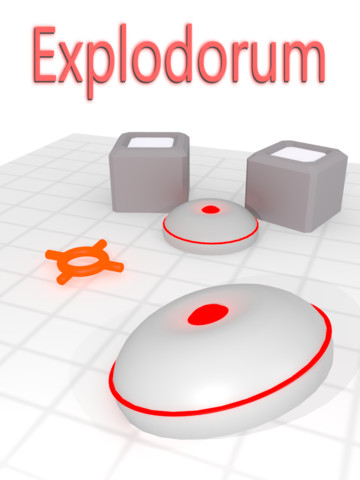
New BennuGD iPad game: Explodorum HD

Today xDan is presenting his new BennuGD iPad game called Explodorum HD with his indie development group Garnet Games and we're happy to celebrate :)
In xDan's own words:
Explodorum is a new and unique bomb blasting logic puzzle game that will relax and twist your mind in equal measure. It's designed especially for iPad with crisp high resolution graphics and full use of the available display.
Hope you like it!

Android port progress, multitouch module

Yesterday I finally got a couple of important things working regarding BennuGD on Android:
First of all, the guys working on SDL workarounded what appears to be a bug in Android that caused APK resource loading to fail, so now you can just package your game's resources into the APK and directly load them from there. There's nothing special you have to do from your BennuGD code. Up until now you'd had to use resources found in the user's SD card, which isn't particularly useful...

Another important thing is multitouch support: Yesterday I created a module to support multitouch. It's based in SDL 1.3 so it should work in both iOS & Android (and on desktops too, if you're still using that sort of devices :P), although I have just tested it in Android. It's still quite buggy but it's working. You can see a very simple preview of how it's working (the sample has some background music although I'm not sure it can be heard in the video) below:

The video is pretty crappy, but you get the idea.
Also, touch sensitivity is better than it looks like in the video.

Those are two very important things to have working for a game engine running on Android so I'm quite happy to see them working.

As per the work left regarding the Android port of BennuGD before we can call it a release, the list of things to do goes as follows:
  • Fix image loading: The colormode for PNG loaded images is not working as expected (yet). Not sure about other formats.
  • Handle rotation: The programmer should have a way to control how they want the phone to respond to rotations when their game is working.
  • I believe that right now we don't have a way to know when the app is in second plane->let the programmer know it through mod_wm.
  • Fix set_mode. Right now the video mode is set for you to your device's default resolution and, if you call set_mode again, Bennu crashes.
  • learn where the programmer must keep their persistent data.
  • [Update mod_chipmunk+compile mod_sqlite3 in].
  • Test it!
Get your little green devices ready because BennuGD is coming!

Blog Archive