:How To Install Android 4.4 KitKat Launcher On Any Jelly Bean Device:

How To Install Android 4.4 KitKat Launcher On Any Jelly Bean Device

Last year’s Nexus 4 was an awesome device that proved LG can definitely make goodlooking phones. This year’s Nexus 5 is no different, offering the best specs and the most svelte design a $350 phone has ever offered. But it’s not just the hardware where Nexus 5 really shines; the new Android 4.4 Kitkat that it ships with is every bit as impressive. We’ve already covered a summary of new features in Kitkat, so you might want to check that out as well. Those who’ve been eyeing on the latest version of Android would be aware about its new Google Experience Launcher. The search engine giant has kicked up another notch by presenting the best looking stock Android launcher yet. If you can’t wait to get your hands on it, we’ve got some good news for you. The launcher files have already been uploaded to the internet, and you grab them to try it on your own device running any version of Jelly Bean. Just follow our full guide to get it up and running.
It’s worth noting that Google Experience Launcher may not work on all phones, and you may face force close issues. In our own testing, the launcher didn’t face any problem whatsoever on the international variant of Galaxy S4, but your mileage may vary depending on your device. We advise that you create a backup before proceeding.

Requirements

  • A phone running Android 4.1, 4.2 or 4.3 Jelly Bean
  • Google Experience Launcher files. The archive contains:
    1. PreBuiltGmsCore.apk (Google Play Services 4.0)
    2. Velvet.apk (Google Search)
    3. GoogleHome.apk (Launcher)
Files Installation Launcher

Procedure

  1. Again, to be on the safe side we recommend that you create a backup first to avoid any issues
  2. Next up, download the ZIP fie provided in the link above and extract its contents to an easily accessible location. You can download the file to your PC and transfer them to your device, or you can download it straight to your Android device and extract the archive using any file extraction app.
  3. Now, install all three files available in that folder one by one by simply tapping on them, or sideloading them via ADB form your computer.
  4. Once done, simply press Home and select the new Launcher as default.
Google Experience Start IntroHome Screen App Drawer Settings
Note: If you face Google Search Force Close issue, just long-press the home screen in the new launcher, select Settings and then tap Voice. Select Language to change the default. You can change to any another language and then again back to your own language by following the same procedure

EnjOy..:)
Bugs Of Techn0l0gy

:Android 4.4 KitKat: A Summary Of New Features & Improvements:


Android 4.4 KitKat: A Summary Of New Features & Improvements

All the regular leaks and rumors have kept the Android community abuzz for the past few weeks, waiting for the next major update to Android. Well, Google announced Android 4.4 ‘KitKat’ some time ago, but they just formally detailed all the new features a few hours ago. In this article, we’ll be covering all the new changes you should expect when your device manufacturer ultimately rolls out Android 4.4 to your device.
Android-4.4-KitKat-new-features

All Recent Nexus Devices Except Galaxy Nexus Will Support Android 4.4

Most probably due to its weak chip, the Galaxy Nexus will not officially receive Android 4.4 from Google. However, one can expect the active developer to rise to the occasion, and launch custom ROMs built on top of KitKat. It’s a shame considering how Apple has been able to support the three-year-old iPhone 4, while Google isn’t able to support a phone released just a year and a half ago.
Nexus 10, Nexus 7 2012/2013, Nexus 4, Google Play Editions of HTC One and Galaxy S4 will get Android 4.4 soon. Google used the words, “in the coming weeks.”

“Ok Google”: Quick Access To Voice Commands

Remember the “always listening” Touchless Control feature in Moto X? Android 4.4 packs something quite similar but very limited in comparison. You can use the “Ok Google” voice command to gain quick access to Google Now actions, but only if you’re on the home screen or within Google Now. Also, it is currently only supported on the Nexus 5.

Project Svelte Drastically Reduces RAM Consumption For Low-End Devices

The single biggest reason why Android caught up and subsequently leapfrogged iOS in market-share is because of its ability to run on low-end smartphones and tablets. The experience of using Android on these devices is often drastically different than high and even mid-end devices, so Google has announced ‘Project Svelte’ as part of 4.4 KitKat, which makes some clever optimizations to reduce the amount of RAM Android apps use. Low-end devices will get the most out of this, but higher-end devices will see benefits in the form of improved multi-tasking and generally better performance.

Apps Can Now Natively Go Full-Screen

Full-screen-Android-4.4
The biggest advantage of using virtual buttons is that they can go away when you don’t need them, which gives you more screen space to enjoy games and videos. On Android 4.4 KitKat, it will be easy for developers to make their app take over the entirety of the screen. If you want to see the status bar or navigation bar again, swipe up or down (respectively) to see it momentarily. It is somewhat similar to how Notification Center and Control Center work on iOS.

Translucent Status & Navigation Bar

We’ve discussed tweaks to achieve this and ROMs that support this by default. From Android 4.4 onwards, both previously mentioned bars will be completely transparent, giving you a sense of extra space on your homescreen. Not a huge difference per se, but it’s a welcome one.

Smarter Phone App

Smarter-Phone-app-Android-4.4
Getting a call from an unknown number? The Phone app will automatically search for the number on Google in the background, and update it with the name of the restaurant, bank, or shop if found. This also works the other way: you can start typing the name of a nearby location on Google Maps and you’ll be presented with the phone number. Additionally, the app will remember who you call the most and show these contacts higher in the list when searching for them.

Hangouts Replaces Messaging App

Hangouts-and-SMS-combined-Android-4.4
After replacing the AOSP Camera app, Keyboard, Email, Browser etc. with its own proprietary solutions, Google has now replaced the terrible AOSP Messaging app with the latest version of Hangouts. As most of you already know, Hangouts now supports texting over SMS, and conversations over SMS or Google Hangouts are displayed seamlessly – it’s a long-awaited feature, but you should understand that it is another big step by Google to lock down Android by close-sourcing as many important parts of the system as possible.

Native Support For Printing

Android-4.4-KitKat-Print-feature
With Android 4.4, you will be able to connect to remote printers through Google Cloud Print and nearby printers over the same WiFi network to print the documents you carry with you on your device. This goes well with Google’s move to acquire Quickoffice.

Emoji In Google Keyboard

Emoji-in-Google-Keyboard
Though not that groundbreaking an addition, it is certainly one that has been deemed missing from the OS for a long time. Emoji will now be available everywhere, right from within the stock keyboard.

IR Blaster Support

Both HTC One and Galaxy S4 came with IR blasters for controlling your TV remotely, but the hardware didn’t work in Google Play editions of the same phones because of lack of software support. In Android 4.4, support for sending control signals over IR is built in.

Screen Recording

App reviewers and developers rely on screen capture tools to enhance the products of their labor, and there’s no better way to enhance app reviews and development than with recording a video of the screen. Previously, you had to rely on third-party apps, however, you can now record screen activity using Android 4.4 itself. It can be accessed over ADB, and we’ll show you how as soon as we get our hands on KitKat.

EnjOy..:)
Bugs Of Techn0l0gy

:Windows 8 Enterprise 32Bit (x86) & 64Bit (x64) ISO Full + CRACK ACTIVATOR:

Windows 8 Enterprise 32Bit (x86) & 64Bit (x64) ISO Full + CRACK ACTIVATOR


DESCRIPTION :
Meet the worlds personalized Operating System (Windows 8 Enterprise) thats compatible with the most advanced desktops, tablets and mobile devices on the market today. Windows 8 is So Much Smarter and Super Faster Than Windows 7. After Using Windows 8 I Feel a Better Experience than Windows 7. It is soft easy and more faster than Vista and 7. So Try New Windows 8 Final Version and Discover The New Technology.
 
FEATURES :
Windows 8 works on the same hardware that powers Windows 7: Processor: 1 gigahertz (GHz) or faster
RAM: 1 gigabyte (GB) (32-bit) or 2 GB (64-bit)
Hard disk space: 16 GB (32-bit) or 20 GB (64-bit)
Graphics card: Microsoft DirectX 9 graphics device with WDDM driver
 
Additional requirements to use certain features:
-To use touch, you need a tablet or a monitor that supports multitouch.
-To access the Windows Store and to download and run apps, you need an active Internet connection and a screen resolution of at least 1024 x 768.
-To snap apps, you need a screen resolution of at least 1366 x 768.
-Internet access (ISP fees might apply)
-Microsoft account (LiveID) required for some features
-Some features such as touch and Client Hyper-V may require advanced or Windows 8 certified hardware
 
Install Notes:
1. Install Windows 8 Ent as trial evaluation from Microsoft Server.
2. Go to Windows 8 Activator folder then right mouse click "Install.cmd" then select to "Run as administrator" when done Windows will logoff when you login Windows 8 will be activated.
NOTE: Windows may logoff more than once don't worry

UsePower Shell to display the information below
1. Current licensing status = slmgr -dlv
2. Activation information = slmgr -dli
3. Expiration date = slmgr -xpr

Click to download Windows 8 Enterprise 32bit-64bit Crack Activator ONLY [8 MB]

Click to download Windows 8 Enterprise 32bit-64bit TRIAL [3 GB]
 
EnjOy..:)
Bugs Of Techn0l0gy

:Windows CD Keys:

Windows CD Keys  

CD Keys Of
Vista/7 Ultimate
Vista/7 HomeBasic
Vista/7 HomePremium
Vista/7 Starter
Vista Business
7 Pro
Server
XP


Vista|Ultimate|Acer|3YDB8-YY3P4-G7FCW-GJMPG-VK48C
Vista|Ultimate|Advent|39MVW-K8KKQ-BGJ9B-24PMW-RYQMV
Vista|Ultimate|Alienware|7QVFM-MF2DT-WXJ62-XTYX3-P9YTT
Vista|Ultimate|Asus|6F2D7-2PCG6-YQQTB-FWK9V-932CC
Vista|Ultimate|Dell|2QBP3-289MF-9364X-37XGX-24W6P
Vista|Ultimate|DixonXP|6JPQR-4G364-2B7P7-83FXW-DR8QC
Vista|Ultimate|Gateway|6P8XK-GDDTB-X9PJQ-PYF36-G8WGV
Vista|Ultimate|Hedy|7R2C3-DWCBG-C8G96-MPT8T-K37C7
Vista|Ultimate|HP|23CM9-P7MYR-VFWRT-JGH7R-R933G
Vista|Ultimate|Lenovo|24J6Q-YJJBG-V4K4Q-2J8HY-8HBQQ
Vista|Ultimate|OQO|C4QGV-XHYYT-9PW8R-DCFTQ-FBD6M
Vista|Ultimate|Toshiba|33G3W-JY3XQ-CQQ7C-TG96R-R6J6Q
Vista|Ultimate|Sony|2KKTK-YGJKV-3WMRR-3MDQW-TJP47

Vista|Business|Acer|2TJTJ-C72D7-7BCYH-FV3HT-JGD4F
Vista|Business|Asus|72PFD-BCBK8-R7X4H-6F2XJ-VVMP9
Vista|Business|Dell|368Y7-49YMQ-VRCTY-3V3RH-WRMG7
Vista|Business|Fujitsu|4C3CM-H3RXM-VBMVQ-K8RHX-RTFX8
Vista|Business|Gateway|9GK24-BJJPV-93JB4-9CD3T-QTHDD
Vista|Business|HP|2Q2WM-VCB98-8C6BG-C9BT2-3XDRY
Vista|Business|Lenovo|2YRV9-YCY3F-FRJ4T-BKD6B-C47PP
Vista|Business|MSI|2X4F8-Y4QGK-Y8RTT-CK6PB-M8X92
Vista|Business|NEC|22QYD-YQFQG-4P9GY-DRVR3-RCFDV
Vista|Business|OQO|KBK7F-XCVK4-9W477-GPFVC-YXFDM
Vista|Business|Panasonic|246PH-B8XYM-B7DFM-RR8PM-JRHXC
Vista|Business|Sony|3W2Y2-GRRYB-VH76X-KPDXX-XFJ4B
Vista|Business|Toshiba|38MK6-4QYC6-GJQQX-9DYQ4-H9MQD
Vista|BusinessN|Acer|2434H-HFRM7-BHGD4-W9TTD-RJVCH

Vista|HomeBasic|Acer|2W7FD-9DWCB-Q9CM8-KTDKK-8QXTR
Vista|HomeBasic|Asus|762HW-QD98X-TQVXJ-8RKRQ-RJC9V
Vista|HomeBasic|Benq|7R997-DXYDR-YGCR3-RHVDP-T8TKX
Vista|HomeBasic|CHS|2QM7G-GTFJ4-2DTTG-R73YR-W3D8G
Vista|HomeBasic|Dell|3YMR2-WMV49-4WD8X-M9WM7-CH4CG
Vista|HomeBasic|Fujitsu|4G8P7-TVW66-Y3H3V-C4Q4J-CQR2B
Vista|HomeBasic|Gateway|7Q3BC-897QP-6HVMF-TTJ34-P92J4
Vista|HomeBasic|Gericom|MDRBF-FKHJB-6J8RV-P4GKQ-G6BR8
Vista|HomeBasic|Gigabyte|889T3-F4VGX-QK4V7-JH76R-3HHRC
Vista|HomeBasic|HP|2VX48-BVXT6-GD2PK-BD3R2-44MV3
Vista|HomeBasic|Ksystem-Irbis|J2QKK-V8M3X-WRPPT-FBW4B-FQ6FP
Vista|HomeBasic|Lenovo|2WP98-KHTH2-KC7KG-4YR37-H8PHC
Vista|HomeBasic|LG|6DT3K-TCY4G-Y2VK9-T8J3T-2RGT7
Vista|HomeBasic|Mecer|C3MXB-T6PGC-2M2XV-C6PRX-TPW79
Vista|HomeBasic|Medion|3XFY9-7GTXV-93RXP-V62MQ-84WP6
Vista|HomeBasic|NEC|2432B-Q9RGP-VT9CK-64JFP-X6XVT
Vista|HomeBasic|Packard Bell|4GW2B-QCB6W-BWTVG-2DDKY-KRDMH
Vista|HomeBasic|Rover|BMHBK-PJD8J-WDWGY-Q4D6Q-46YJP
Vista|HomeBasic|Samsung|27WDG-2G9G2-BTVMF-W4KCX-9F8PX
Vista|HomeBasic|Sony|4DWY4-M6VH9-Y6FX6-D2H3V-3PXM9
Vista|HomeBasic|Toshiba|4DV48-MFJR8-VRW92-3VTYM-HBTPB
Vista|HomeBasic|Trigem|2YY8K-6KVM4-3DTT6-XRFHK-RYYDG
Vista|HomeBasicN|Acer|22TC9-RDMDD-VXMXD-2XM2Y-DT6FX

Vista|HomePremium|Acer|2TYBW-XKCQM-XY9X3-JDXYP-6CJ97
Vista|HomePremium|Alienware|D9CRD-R8YYQ-VYG3W-YG4FK-2CXRF
Vista|HomePremium|Asus|8XPM9-7F9HD-4JJQP-TP64Y-RPFFV
Vista|HomePremium|Dell|4GPTT-6RYC4-F4GJK-KG77H-B9HD2
Vista|HomePremium|DixonXP|7VJMY-XWBMV-T3PCK-3FRWY-KKMRQ
Vista|HomePremium|Everex|BH3M9-MQPD8-PTPDK-T6DWK-B2XFW
Vista|HomePremium|Founder|C6KM8-8JDBT-QBRM8-2MGFH-XH7QY
Vista|HomePremium|Fujitsu|6M66G-C2BGD-XGBBV-2BHKV-C9KM3
Vista|HomePremium|Gateway|6DX2X-QR7XB-3RBY2-BGQ2R-DR9M6
Vista|HomePremium|HP|HW7V9-XYT4W-PFR9Q-2DKGJ-RR4TD
Vista|HomePremium|iQon|6R99P-3HY62-7XR3F-WGP2T-HKCB9
Vista|HomePremium|Kohjinsha|HRCXG-RQPBQ-YBP92-KFFRY-JKQQ3
Vista|HomePremium|Ksystem-Irbis|7QVBM-X4KG7-QCWDP-YC8PQ-PXKH8
Vista|HomePremium|Lenovo|34BKK-QK76Y-WWR7C-QF2M7-2TB37
Vista|HomePremium|LG|73JC4-PR3R6-9DKYC-FDG3K-3FTT3
Vista|HomePremium|Medion|4FG94-MMYPT-H2QD2-V4DCP-X7QB8
Vista|HomePremium|MeshPC|HR3TD-CH9JD-CT8WF-X948R-C3QR3
Vista|HomePremium|MSI|86C2J-2M84W-HBMRQ-GBJWJ-VPTRM
Vista|HomePremium|NEC|22CTR-JFKJJ-BMXQK-XKXBC-C8R98
Vista|HomePremium|Optima|863XK-7RW2B-6R8CR-4FYQV-3FTW8
Vista|HomePremium|Packard Bell|6PFJK-WKXQR-9Q27C-6CWD7-MQ3CQ
Vista|HomePremium|Paradigit|6DX4V-3CJX6-97XGD-KW4C2-PVRRK
Vista|HomePremium|Powerspec|CK82T-QVTHF-8HGMF-9F3G9-FJH92
Vista|HomePremium|Quanmax|88XKM-J69QV-VB9M9-QCM66-647KW
Vista|HomePremium|Samsung|2MQH8-77KBM-PRTT7-HVDWW-DCXVT
Vista|HomePremium|Sony|6JWV3-843DD-4GV68-6D8JB-G6MF9
Vista|HomePremium|Targa|6VJ7B-3KTJH-H3DDQ-7JD7G-26VMG
Vista|HomePremium|TCL|BH626-XT3FK-MJKJH-6GQT2-QXQMF
Vista|HomePremium|Toshiba|6DG3Y-99KMR-JQMWD-2QJRJ-RJ34F
Vista|HomePremium|Velocity|GCHCQ-WTYXJ-GDJBC-JYDCX-F9VXW

Vista|Starter|Acer|26VQB-RP3T9-63FVV-VD7RF-H7M2Q
Vista|Starter|Lenovo|23Q4W-YQPHY-TY89Y-7Q3VX-W72KT


7|Ultimate|Acer|FJGCP-4DFJD-GJY49-VJBQ7-HYRR2
7|Ultimate|Alienware|VQ3PY-VRX6D-CBG4J-8C6R2-TCVBD
7|Ultimate|Alienware 2|4HMYB-6YHYT-TW2J6-FQBC3-6GBFW
7|Ultimate|Asus|2Y4WT-DHTBF-Q6MMK-KYK6X-VKM6G
7|Ultimate|Dell|342DG-6YJR8-X92GV-V7DCV-P4K27
7|Ultimate|Fujitsu|9CW99-79BBF-D4M3X-9BK9M-4RPH9
7|Ultimate|HP|MHFPT-8C8M2-V9488-FGM44-2C9T3
7|Ultimate|Lenovo 2|22TKD-F8XX6-YG69F-9M66D-PMJBM
7|Ultimate|Lenovo|6K2KY-BFH24-PJW6W-9GK29-TMPWP
7|Ultimate|Samsung|49PB6-6BJ6Y-KHGCQ-7DDY6-TF7CD
7|Ultimate|Sony|YJJYR-666KV-8T4YH-KM9TB-4PY2W
7|Ultimate|Tarox|4BRY2-6W9VH-9CM6R-GPKRY-HHVCY

7|UltimateE|HP|278MV-DKMGJ-F3P9F-TD7Y3-W6G3M

7|UltimateN|Demo|XXXXX-XXXXX-XXXXX-XXXXX-XXXXX

7|Professional|Acer|YKHFT-KW986-GK4PY-FDWYH-7TP9F
7|Professional|Alienware|4CFBX-7HQ6R-3JYWF-72GXP-4MV6W
7|Professional|Asus|2WCJK-R8B4Y-CWRF2-TRJKB-PV9HW
7|Professional|Dealin|6BJ27-DVBFF-VKQC8-7JPQP-TJKYY
7|Professional|Dell|32KD2-K9CTF-M3DJT-4J3WC-733WD
7|Professional|Fujitsu|PT9YK-BC2J9-WWYF9-R9DCR-QB9CK
7|Professional|HCL|2QTV2-3CMPP-FQBYK-GRD62-D7XMW
7|Professional|HP|74T2M-DKDBC-788W3-H689G-6P6GT
7|Professional|Kraftway|32HPJ-4XRDR-424C8-DYQM9-GM768
7|Professional|Lenovo|237XB-GDJ7B-MV8MH-98QJM-24367
7|Professional|Mecer|2WGY7-J3JQT-78CF9-J6DHQ-DJTQW
7|Professional|MSI|2W3CX-YD4YJ-DF9B2-V27M6-77GMF
7|Professional|Samsung|GMJQF-JC7VC-76HMH-M4RKY-V4HX6
7|Professional|Sony|H9M26-6BXJP-XXFCY-7BR4V-24X8J
7|Professional|STEG|7RQGM-4BJBD-GM2YY-R2KTT-43HG8
7|Professional|Tarox|72X79-RQPFF-YGK82-7FF8M-PX4XB
7|Professional|Toshiba|2V8P2-QKJWM-4THM3-74PDB-4P2KH
7|Professional|Wortmann|6JKVQ-WJTWW-JVPRB-77TGD-2DV7M
7|Professional|????|862R9-99CD6-DD6WM-GHDG2-Y8M37
7|ProfessionalE|HP|P42PH-HYD6B-Y3DHY-B79JH-CT8YK
7|ProfessionalN|Demo|XXXXX-XXXXX-XXXXX-XXXXX-XXXXX

7|HomePremium|Acer|VQB3X-Q3KP8-WJ2H8-R6B6D-7QJB7
7|HomePremium|Advent|38JTJ-VBPFW-XFQDR-PJ794-8447M
7|HomePremium|Alienware|V3Y2W-CMF9W-PGT9C-777KD-32W74
7|HomePremium|Asus|2QDBX-9T8HR-2QWT6-HCQXJ-9YQTR
7|HomePremium|Asus Eee|7JQWQ-K6KWQ-BJD6C-K3YVH-DVQJG
7|HomePremium|Dealin|8YDX9-B7MMG-82XD9-V88G9-MR92T
7|HomePremium|Dell|6RBBT-F8VPQ-QCPVQ-KHRB8-RMV82
7|HomePremium|Dell 2|83K3W-QH8JT-T7KBY-9FQB6-V9R8H
7|HomePremium|Fujitsu|C6MHH-TRRPT-74TDC-FHRMV-XB88W
7|HomePremium|Genuine|2V36J-4RK8B-GW27Q-4DXPG-RQP78
7|HomePremium|Gigabyte|3743C-T6892-B4PHM-JHFKY-4BB7W
7|HomePremium|HCL|39QDH-D7MHH-WDMTD-TM2R9-KM7DB
7|HomePremium|HP|4FG99-BC3HD-73CQT-WMF7J-3Q6C9
7|HomePremium|Lenovo|27GBM-Y4QQC-JKHXW-D9W83-FJQKD
7|HomePremium|LG|38GRR-KMG3D-BTP99-TC9G4-BBDJJ
7|HomePremium|Medion|2P2P9-CM3F8-FTV6P-PC7CX-8TFF7
7|HomePremium|MSI|4G3GR-J6JDJ-D96PV-T9B9D-M8X2Q
7|HomePremium|Packard Bell|VQB3X-Q3KP8-WJ2H8-R6B6D-7QJB7
7|HomePremium|Samsung|CQBVJ-9J697-PWB9R-4K7W4-2BT4J
7|HomePremium|Shuttle|C3V4C-6Y6WM-DGRM9-QJG82-8K3FP
7|HomePremium|Siragon|HWDFB-YVFG4-3TJ7F-Q3WMT-7B6PH
7|HomePremium|Sony|H4JWX-WHKWT-VGV87-C7XPK-CGKHQ
7|HomePremium|Tarox|BWHCT-BWJPG-H9PV3-4V4WT-9978X
7|HomePremium|Toshiba|6B88K-KCCWY-4F8HK-M4P73-W8DQG
7|HomePremium|Toshiba 2|6GF36-P4HWR-BFF84-6GFC2-BWX77
7|HomePremium|Viewsonic|C23T3-9F2T2-FPWBM-XYMW2-272J9
7|HomePremium|Toshiba 2|6GF36-P4HWR-BFF84-6GFC2-BWX77
7|HomePremium|????|2P2P9-CM3F8-FTV6P-PC7CX-8TFF7
7|HomePremiumE|HP|TD77M-HH38J-FBCB8-8QX7Y-P2QH3
7|HomePremiumN|Demo|XXXXX-XXXXX-XXXXX-XXXXX-XXXXX

7|HomeBasic|Acer|MB4HF-2Q8V3-W88WR-K7287-2H4CP
7|HomeBasic|Asus|89G97-VYHYT-Y6G8H-PJXV6-77GQM
7|HomeBasic|Dealin|6M78P-JJRQP-9C4RX-RPK7G-3VTH3
7|HomeBasic|Dell|36T88-RT7C6-R38TQ-RV8M9-WWTCY
7|HomeBasic|Founder|7WGMV-QFYXX-64DCG-HQFWM-DWGKY
7|HomeBasic|Fujitsu|8W3JQ-BP2HY-F47QX-6CQ94-2BKQB
7|HomeBasic|HCL|2Q4QP-8P4MD-47YBP-7TXX9-FKDRM
7|HomeBasic|HP|DX8R9-BVCGB-PPKRR-8J7T4-TJHTH
7|HomeBasic|Kraftway|2YB9V-B4R3R-D8Y6R-CB7DB-J6YY7
7|HomeBasic|KSystems|82P6X-KGH24-FCPXC-XQKC9-74KC8
7|HomeBasic|Lenovo|22MFQ-HDH7V-RBV79-QMVK9-PTMXQ
7|HomeBasic|MSI|2TY7W-H4DD4-MB62F-BD9C3-88TM6
7|HomeBasic|Positivo|4FW6G-J7FR9-MHWGW-JDXP6-QQH89
7|HomeBasic|Samsung|2P6PB-G7YVY-W46VJ-BXJ36-PGGTG
7|HomeBasic|Sony|YV7QQ-RCXQ9-KTBHC-YX3FG-FKRW8
7|HomeBasic|Tongfang|9DBMT-GXRWM-6Q9Y3-WMYM8-FJCBW
7|HomeBasic|Toshiba|9H4FH-VD69Y-TGBD2-4PM4K-DRMMH
7|HomeBasicE|Demo|XXXXX-XXXXX-XXXXX-XXXXX-XXXXX
7|HomeBasicN|Demo|XXXXX-XXXXX-XXXXX-XXXXX-XXXXX

7|Starter|Acer|RDJXR-3M32B-FJT32-QMPGB-GCFF6
7|Starter|Asus|6K6WB-X73TD-KG794-FJYHG-YCJVG
7|Starter|Casper ERA|6PB94-MC2C6-4F37H-KTJ32-PF2PT
7|Starter|Dell|36Q3Y-BBT84-MGJ3H-FT7VD-FG72J
7|Starter|ECS|BHP4B-MXP9G-RG7KQ-T8R84-CW3D3
7|Starter|Exper|4FRH4-WQDGJ-M9HRY-K73D8-RGT3C
7|Starter|Fujitsu|PMXH9-M23P9-QJJMB-2FWRC-7CDKP
7|Starter|Hannspree|BRFCY-XMXRV-28JHQ-F6D9B-BV73C
7|Starter|HP|RH98C-M9PW4-6DHR7-X99PJ-3FGDB
7|Starter|Lenovo|273P4-GQ8V6-97YYM-9YTHF-DC2VP
7|Starter|Lenovo|22P26-HD8YH-RD96C-28R8J-DCT28
7|Starter|Medion|2K8WH-JVQDM-C9HVC-YR2XC-8M76G
7|Starter|MSI|2W4DJ-JFFJV-DMCPP-2C3X8-883DP
7|Starter|Nokia|2XGHP-9TQK2-8CF28-BM2P2-8FRX8
7|Starter|Olidata|344HQ-3YHDT-C7VCT-BDPBV-4KTR3
7|Starter|Sony|32J2V-TGQCY-9QJXP-Q3FVT-X8BQ7
7|Starter|Tarox|6RVFM-RTMTJ-4DGWV-TXTQW-7GFFB
7|Starter|Toshiba|TGBKB-9KBGJ-3Y3J6-K8M2F-J2HJQ
7|Starter|Viewsonic|6TQ9G-QB2WK-FM2TB-CKBDP-9D6HM
7|Starter|Viliv|7W842-2HCPJ-BC3MJ-B79K6-TD2HQ
7|Starter|Zoostorm|6JPKB-P8D84-6DT8D-P2QHB-QMKP9

7|StarterE|HP|C3HY9-34XKR-6Y9Y9-RB7TR-84KWG

7|StarterN|Demo|XXXXX-XXXXX-XXXXX-XXXXX-XXXXX

7|Enterprise|Demo|XXXXX-XXXXX-XXXXX-XXXXX-XXXXX

7|EnterpriseE|Demo|XXXXX-XXXXX-XXXXX-XXXXX-XXXXX

7|EnterpriseN|Demo|XXXXX-XXXXX-XXXXX-XXXXX-XXXXX


These are server 2008 R2 keys (Based on build 7600)
Server|ServerEnterprise|Dell|BKCJJ-J6G9Y-4P7YF-8D4J7-7TCWD
Server|ServerStandard|Dell|D7TCH-6P8JP-KRG4P-VJKYY-P9GFF
Server|ServerWinFoundation|Dell|VMYRB-8BRVQ-KXWFF-334J3-F2WHJ

These are server 2008 keys
Server|SBS|Dell|76GGM-4MQ6T-XCJH9-6R2XQ-PW2D2
Server|Business|Dell|76GGM-4MQ6T-XCJH9-6R2XQ-PW2D2
Server|Enterprise|Dell|26Y2H-YTJY6-CYD4F-DMB6V-KXFCQ
Server|Foundation|Dell|BHFGK-YDHVJ-49M49-FT9B3-WKG8Y
Server|Standard|Dell|223PV-8KCX6-F9KJX-3W2R7-BB2FH


XP|Orignal|V2C47-MK7JD-3R89F-D2KXW-VPK3J

XP|Home|KQXXH-YW4QM-B84W8-296FX-6XRDW

XP|Professional|FCKGW-RHQQ2-YXRKT-8TG6W-2B7Q8
XP|Professional|SP1|7QVT6-T2738-WRKJB-YKRFQ-XVK98


EnjOy..:)
Bugs Of Techn0l0gy

:Google announces 'KitKat' as next Android version as platform crosses 1 billion activations:

Google announces 'KitKat' as next Android version as platform crosses 1 billion activations


1
Share
Android KitKat statue

Hot on the heels of Apple's announcement of its Sept. 10 iPhone event, Google has revealed some major news of its own. Sundar Pichai, head of Chrome and Android, has announced that the Android 4.4 will officially be known as "KitKat." A landing page on the official Android website has confirmed KitKat as the "K" dessert, as well as the fact that the next version of Android will be 4.4 rather than 5.0.
To go along with its new dessert, Google has revealed that specially-wrapped KitKat bars with Android branding will soon begin appearing in stores. Buyers will have the chance to win a new Nexus 7 tablet or Google Play credit.
It's long been rumored that "Key Lime Pie" would be the nickname for the next major version of Android. That's part of the reason why this "KitKat" name comes as a surprise, with the other part being that Google has chosen a trademarked name to represent its new software. John Lagerling, Google's director of Android partnerships, has told BBC News that neither side is paying one another for the deal. Instead, Lagerling explainsthat the driving force behind the decision was to do something "fun and unexpected."
As for the "Key Lime Pie" name, it's said that Google's Android team had referred to the new software by that moniker internally. However, Lagerling says that because few people know what a key lime pie tastes like, Google decided to go in another direction. KitKats were suggested as a possibility because Google keeps them stocked in its kitchens for late night snacking, and 24 hours after making a cold call to Nestle in November 2012 to inquire about a partnership, a deal between the two companies was struck.

Unfortunately for Android fans hungry for more KitKat, there's no word yet on exactly what features the new OS will include. Google does promise on its landing page that its goal with KitKat is to "make an amazing Android experience available for everybody." Only El Goog knows for sure what that means, but it could suggest that the company plans to improve Android to work on lower-end hardware, both for entry-level devices and for products like smartwatches.
Pichai also announced today that Android has officially crossed the 1 billion device activation mark. This milestone comes around 3 1/2 months after the total number of activations hit 900 million.
EnjOy.. :)
Bugs Of Techn0l0gy..

:Create a Bootable Pendrive of any OS:

Create a Bootable Pendrive of any OS

Windows 7 USB/DVD Download Tool is a free tool from Microsoft to make an Bootable pendrive form ISO files. But how to make a bootable pendrive from the .img files or copy some other OS to the pendrive? We need some other tools. Here I have discussed about an free tool that allows you to create an bootable pendrive from any OS.
bootable-pendrive

Win32 Disk Imager

As I already mentioned, it is an free tool for windows and it reads the disk image of any format and writes it in an Pendrive. It could also write it in the Memory Card and make it bootable.

Win32 Disk Imager

The software is about 12.8MB and can be downloaded from here

Steps to create an Bootable Pendrive

Just download the package and open the Win32DiskImager.exe
Select the Image file which you want to copy.

OS selection in Win32DiskImager

Select the Removable disk which you want to make it as bootable.

device selection in Win32DiskImager

Click the Write Button.

Write in Win32Disk Imager

Wait for the process to be completed. Your bootable pendrive is READY..!!!
EnjOy..:)
Bugs Of Techn0l0gy

:Create Undeletable And Unrenamable Folders In Windows:

Create Undeletable And Unrenamable Folders In Windows

We have already discussed about creating nameless and invisible folder. Here is another trick. Here are the step by step instructions to create Undeletable And Unrenamable Folders In Windows. Check it out and create one.
 Password-protected-folder

How To Create Undeletable And Unrenamable Folders ?

Goto Run and Type cmd & hit enter.

cmd prompt
 
Note: Remember you cannot create Undeletable & unrenamable folder in your root directory. That means you can’t create these folders in C:/
Type D: or E: and hit enter

D in cmd
 
Type md con\ and hit enter (md – make directory)

md con in cmd
 
You may use other words such as aux, lpt1, lpt2, lpt3 up to lpt9 instead of con in above step.
Try to delete that folder or rename that folder windows, it will show an error message.

How to delete that folder ?

It is not possible to delete that folder manually. It can be deleted by repeating the steps to create the directory but instead of md con\ use rd con
EnjOy..:)
Bugs Of Techn0l0gy

:Phone 5s & iPhone 5c Arrive in Italy, Russia, Spain & More Than 25 Countries on Friday, October 25:

 Phone 5s & iPhone 5c Arrive in Italy, Russia, Spain & More Than 25 Countries on Friday, October 25

Available in India, Mexico & More Than a Dozen Additional Countries on Friday, November 1


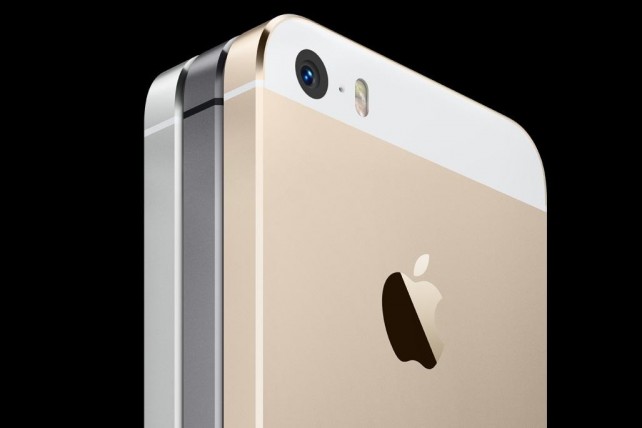
Apple® today announced iPhone® 5s, the most forward-thinking smartphone in the world, and iPhone 5c, the most colorful iPhone yet, will be available in Italy, Russia, Spain and more than 25 additional countries on Friday, October 25. iPhone 5s and iPhone 5c will also be available in more than a dozen countries on Friday, November 1, including India and Mexico. 


iPhone 5s redefines the best smartphone experience in the world with amazing new features all packed into a remarkable thin and light design, including the Apple-designed A7 64-bit chip, all-new 8 megapixel iSight® camera with True Tone flash and introducing Touch ID™, an innovative way to simply and securely unlock your phone with just the touch of a finger. iPhone 5c features an all-new design, packed with features people know and love like the beautiful 4-inch Retina® display, blazing fast performance of the A6 chip, and the 8 megapixel iSight camera—all while delivering great battery life.¹ iPhone 5s and iPhone 5c both offer more LTE bands² than any other smartphone in the world and include all-new FaceTime® HD cameras.

iPhone 5s and iPhone 5c come with iOS 7, the most significant iOS update since the original iPhone, featuring a stunning new user interface, completely redesigned with an elegant color palette, distinct, functional layers and subtle motion that make it feel more alive. iOS 7 has hundreds of great new features, including Control Center, Notification Center, improved Multitasking, AirDrop®, enhanced Photos, Safari®, Siri® and introduces iTunes Radio℠, a free Internet radio service based on the music you listen to on iTunes®.³

iPhone 5s comes in gold, silver or space gray for a suggested retail price of $199 (US) for the 16GB model, $299 (US) for the 32GB model and $399 (US) for the 64GB model.⁴ iPhone 5c comes in blue, green, pink, yellow and white for a suggested retail price of $99 (US) for the 16GB model and $199 (US) for the 32GB model.⁴ iPhone 5s cases come in beige, black, blue, brown, yellow and (RED) for a suggested retail price of $39 (US) and iPhone 5c cases come in blue, green, pink, yellow, black and white for a suggested retail price of $29 (US). iPhone 5s, iPhone 5c and cases for both phones will be available through the Apple Online Store (www.apple.com), Apple’s retail stores and select Apple Authorized Resellers. iPhone 4s is available for free with a two-year contract from participating carriers.

Every customer who buys an iPhone 5s or iPhone 5c at an Apple retail store will be offered free Personal Setup service, helping them customize their iPhone by setting up email, showing them new apps from the App Store℠ and more, so they’ll be up and running with their new iPhone before they leave the store. Customers can learn more about iOS 7 and their new device through new free workshops at all Apple retail stores worldwide.

iPhone 5s and 5c will be available on Friday, October 25 in Austria, Belgium, Bulgaria, Croatia, Czech Republic, Denmark, Estonia, Finland, French West Indies, Greece, Hungary, Ireland, Italy, Latvia, Liechtenstein, Lithuania, Luxembourg, Macau, Malta, Netherlands, New Zealand, Norway, Poland, Portugal, Reunion Island, Romania, Russia, Slovakia, Slovenia, South Korea, Spain, Sweden, Switzerland, Taiwan and Thailand. iPhone 5s and 5c will also be available on Friday, November 1 in Albania, Armenia, Bahrain, Colombia, El Salvador, Guam, Guatemala, India, Macedonia, Malaysia, Mexico, Moldova, Montenegro, Saudi Arabia, Turkey and UAE. Both iPhone 5s and iPhone 5c are currently available in the US, Australia, Canada, China, France, Germany, Hong Kong, Japan, Puerto Rico, Singapore and the UK.

¹ Battery life depends on device settings, usage and other factors. Actual results vary.
² LTE is available through select carriers. Network speeds are dependent on carrier networks, check with your carrier for details.
³ iTunes Radio is available with iOS 7 in the US.
⁴ For qualified customers.

Apple designs Macs, the best personal computers in the world, along with OS X, iLife, iWork and professional software. Apple leads the digital music revolution with its iPods and iTunes online store. Apple has reinvented the mobile phone with its revolutionary iPhone and App Store, and is defining the future of mobile media and computing devices with iPad.

EnjOy..:)
Bugs Of Techn0l0gy

: Nokia to End Support for Symbian and Meego from Jan 1st, 2014 :

Nokia to End Support for Symbian and Meego from Jan 1st, 2014


Symian Nokia to End Support for Symbian and Meego from Jan 1st, 2014

Nokia has just discovered a new way to tarnish your new year celebrations. The Finns have announced that from the very start of 2014, it will be ending the support for its Symbian – once the king of mobile OSes – and Meego Operating Systems.
What that means is that while you will be able to download apps from those operating systems’ app stores, those apps won’t be getting updates any longer. No apps will be posted to the store after that either.
“If you have Symbian and MeeGo content in the Nokia Store, it will continue to be available for download to customers, and you will continue to receive download and revenue reports as well as payouts for downloaded content”, the company said in an email to developers. “However, starting January 1, 2014, you will no longer be able to publish any new content or update existing content for Symbian and MeeGo.”
While this news isn’t a surprise, recent events in the Nokia’s history including the move to Windows Phone and the eventual selling of the phone division to Microsoft meant that this move was probably hastened.
Nokia had already announced earlier this year that it would never make a Symbian phone again.

EnjOy..:)
Bugs Of Techn0l0gy

:How to use Burst Mode on the iPhone 5S:

How to use Burst Mode on the iPhone 5S

Apple's latest flagship iPhone, the 5S, includes some enhancements to the camera, including a new Burst Mode.

 
When Apple unveiled the iPhone 5S, one of the main feature sets shown off during the presentation was the camera improvements. Two of the new features stood out more than others, were slo-mo videos and a new Burst Mode.
Burst Mode will take photos at up to 10 frames per second on the 5S, so you don't miss the best shot. This comes in especially useful when taking a photo of a child, or an action shot and timing isn't easy.
To use Burst Mode on the iPhone 5S, you launch the Camera app and ensure that you're using either the Photo or the Square setting.
Next, frame your shot and then tap and hold on either the shutter release button on the screen, or the volume-up key on your iPhone.
You'll hear the familiar shutter sound, but instead of just one click, you'll hear a rapid series of them. You'll also find a count indicator on the screen next to the shutter button, going up faster than you can count. This count lets you know how many photos you've snapped in a quick burst.
Don't worry, though, the software in the iPhone 5S will group all of the photos from the same burst into one thumbnail. Doing so prevents any clutter in your Camera Roll, especially if you take a long burst of 50 or 60 photos.
 
When viewing a set of burst photos, you'll notice a few extra pieces of information on the screen. The first is how you can identify a set of burst photos, complete with a count of photos in the bunch.


The second is the Favorites text at the bottom. What happens after you take a burst of photos is iOS 7 automatically selects what it thinks is the best photo of the bunch and shows that as the main photo. When you tap on Choose Favorites, you're able to scroll through the photos in the set and select a different favorite, or even select multiple favorites. Doing so will copy your selections and paste them into your Camera Roll where you can then share, edit and do what you'd like with the photos.
Deselecting a favorite photo will remove it from your Camera Roll, without removing the copy stored in the original set of burst photos.
When using an older iOS device you may note you can also hold in the shutter button and it will snap a series of photos. While that behavior is similar to that of the iPhone 5S, it's not near as fast, and you'll also notice that all photos taken are placed in your Camera Roll, instead of being grouped as they are on the 5S.
What do you think of the new Burst Mode on the 5S? Is it something you have used, plan or using or will never use? Have you taken an amazing photo only made possible by Burst Mode? Feel free to share it with us below in the comments.

EnjOy..:)
Bugs Of Techn0l0gy

:iPhone 5s Stocks Said To Be Low, Get In The Queue Now If You Want One:

iPhone 5s Stocks Said To Be Low, Get In The Queue Now If You Want One

News has surfaced that supplies of the iPhone 5s are considerably lower than past releases. Carriers and Apple stores alike have both reported that there will be fewer phones available than usual.

iPhone 5s

All Things D has reported that its sources at carrier level have expressed concerns over phones supplies, with one even going as far to say , “We will have grotesquely unavailable inventory.”
According to another report, 70-80 percent of iPhones in stock at Apple stores on Friday will be the iPhone 5C, whilst the silver and gold models of the 5S will be very difficult to come by.
The cause of this shortage has not been commented on officially but with Apple releasing two new handsets at once, as well as the impending release of iOS7, it’s not really surprising that there could be less iPhones to go around.
Another expantion could be that Apple is just saving the bulk of the iPhones for itself, getting more customers to go directly to them when the handset becomes unavailable through carriers, then maybe shoppers will be tempted into other purchases at the same time.
Whatever the reason, if you plan to get your hands on the iPhone 5s on Friday, then choose your queue carefully. Carriers could potentially have shorter lines but less stock, whereas Apple stores will have more stock but longer queues. It’s a tricky one!

EnjOy..:)
Bugs Of Techn0l0gy

:Apple Releases New iMac With Iris Pro:

Apple Releases New iMac With Iris Pro

Sh
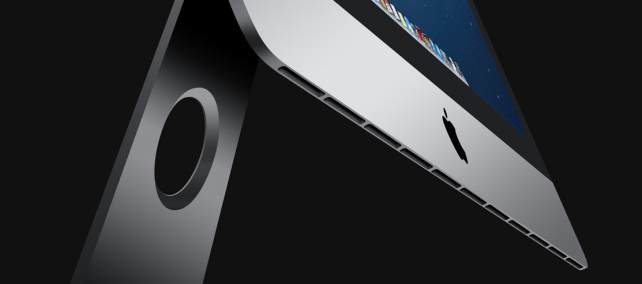
Following the release of the new iPhone 5S and iPhone 5C, Apple has given its iMac a small revamp. The new release brings Haswell cores from Intel, new NVIDIA Corp. GPUs, improved Fusion drives and more ports.
Last October Apple made major changes to the iMac line, which included a new 5-mm thick aluminum frame. This time round the changes are more subtle but nonetheless contribute to making Apple’s all-in-one (AIO) personal computer a serious contender in the bid for the best value in the market.

iMac

Currently Lenovo dominate the AIO PC market after over-taking Apple. So what does the new iMac have to offer? Well the revamped model comes with  8 GB (upgradable two 32 GB for 27-inch, 16 GB for 21.5-inch) of 1600 MHz DDR3 and a 1 terabyte “Fusion” drive, a mostly hard disk hybrid drive with an undisclosed amount of NAND flash onboard (upgradable to 3 TB traditional HDD, a 256 GB SSD, or a 512 GB SSD).
Apple’s AIO PC comes with a wireless “Magic Mouse” and wireless keyboard. It also has 802.11ac Wi-Fi and the following ports:
  •     SDXC card slot
  •     Four USB 3 ports (compatible with USB 2)
  •     Two Thunderbolt ports
  •     Mini DisplayPort output with support for DVI, VGA and dual-link DVI (adapters sold separately)
  •     10/100/1000BASE-T Gigabit Ethernet (RJ-45 connector)
  •     Kensington lock slot
The 21.5-inch model of the iMac, which costs $1,299 comes with the on-die Iris Pro GPU inside the Intel Haswell 2.7 GHz quad-core Core i5- 4570R processor.
Apple claims that it has been able to significantly improve the hardware and firmware of its proprietary Fusion drives, thus making performance 50 percent faster than the previous generation.
Compared to the competition, Apple has priced the new iMacs rather aggressively. Even those who want a Windows 8 AIO can now consider a new iMac via Boot Camp, which supports Windows 8.

EnjOy..:)
Bugs Of Techn0l0gy

:Customize Your Windows 7 Start Menu Button:

Customize Your Windows 7 Start Menu Button


Windows users have been customizing their desktops in a variety of ways for years. Whether by downloading themes and backgrounds, or using third party applications to change more obscure settings like the default logon screen, many people seem intent on personalizing every aspect of their operating system to something that fits their individual taste. And what better to alter than an icon that's always visible?
While we don't mind the Windows 7 Start Menu icon, and actually feel it's somewhat of a leap forward from the rectangular buttons of old, swapping out the orb for a new icon is quick and painless with the help of Kishan-Bagaria's Windows 7 Start Orb Changer. Begin by downloading the utility here. Extract the main folder (W7SBC) anyplace you like and take a look at Must Read.txt for detailed instructions -- or read on for the general overview.
Leave all of the files in the W7SBC folder and run Windows 7 Start Button Changer.exe. Click Select & Change Start Button to browse for a new set of icons -- a few are included with the utility. Once selected, the program will backup explorer.exe and swap the icons. 


If you dislike the change, choose Restore Original Explorer Backup before repeating the steps above. Once your original explorer.exe is in place, continue swapping icons until you find something you like.

Windows x64 users: if you receive an "unhandled exception" error, the utility's creator suggests that you try to run it as an admin, so it's probably best to just do that from the get-go (right click on the program > Run as administrator). For what it's worth, I've used this tool trouble free on Windows 7 Home Premium x64 without running it as an admin.
You might find the base selection of icons limited, and unfortunately, I haven't found the perfect repository of orbs, but there are quite a few scattered around the Web -- especially on DeviantArt. Someone on SevenForums has also put together a useful collection of 213 orbs, so there's bound to be something you like there too.
If you find any other cool orbs or have another favorite Windows 7 customization, feel free to share them in the comments.
EnjOy..:)
Bugs Of Techn0l0gy

:Free Windows XP Mode as a VMware Virtual Machine:

Free Windows XP Mode as a VMware Virtual Machine

It’s becoming hard to obtain a licensed copy of Windows XP. Yet, many IT professionals, including malware analysts, like having Windows XP in their virtualized labs. After all, Windows XP is still running on numerous personal and business systems. Fortunately, you can download a virtualized instance of Windows XP from Microsoft for free if you are running Windows 7 Professional, Enterprise, or Ultimate on your base system.
Microsoft calls this virtualized instance of Windows XP “Windows XP Mode,” and distributes it in the Windows Virtual PC format. If you prefer to use VMware Workstation or VMware Player instead of Virtual PC, follow instructions below.
Download Windows XP Mode from Microsoft. You’ll need to go through the Windows validation wizard to confirm you’re running a licensed copy of the appropriate version of Windows 7. You’ll have the option of downloading and installing Windows Virtual PC software, but you don’t need it if you’ll be using VMware.


Install the downloaded Windows XP Mode executable. The installation wizard will give you a chance to specify where the files installed, placing them in “C:\Program Files\Windows XP Mode” by default. This folder will contain, among other files, the 1GB+ file “Windows XP Mode base.vhd” representing the hard drive of the Windows XP virtual machine.

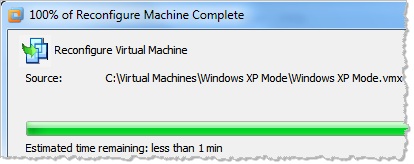
Launch VMware Workstation or Player. Go to the File > Import Windows XP Mode VM menu.

VMware will launch the wizard that will automatically create the Windows XP VMware virtual machine using the Windows XP Mode files you installed in the previous step.

Using VMware Workstation or Player, power on the Windows XP Mode virtual machine that VMware created. Go through the Windows XP setup wizard the same way you would do it for a regular Windows XP system.

At this point, you should have a VMware virtual machine running Windows XP. It will be connected to the network using the VMWare “NAT” mode, so if your base system has Internet access, so would the virtual machine.
There two other ways of obtaining Windows virtual machines, both using Windows Virtual PC. In both cases, you can download Windows Virtual PC files and convert them into the VMware format by using VMware vCenter Converter or by using File > Import or Export… in VMware Workstation. You can download Windows XP, Vista and 7 virtual machines from Microsoft’s Internet Explorer Application Compatibility VPC Image page. You can also download Windows XP and Vista VMs from the NIST Federal Desktop Core Configuration FDCC page. You’ll need to supply valid Windows licenses to activate these OS instances; you may be able to use them for some time period in a limited manner without activation.

EnjOy..:)
MamoOn..

:How to Install and Run Android OS on Your PC the Easy Way:


How to Install and Run Android OS on Your PC the Easy Way


Google’s open source Android operating system has become one of the big hits in mobile technology. Many different types of handsets are appearing based on it, and it’s headed for non-phone platforms too. Android application development has also matured. Over the last few months we have witnessed a tremendous growth of Android OS to the extent that it now commands over 43% market share in the mobile OS space.
While many of us are attached to our gadgets, we still rely heavily on our computers. What if you could just use the Android operating system on your computer? Fortunately, it is possible to do this. You can do this by creating a Live CD or VirtualBox.
The original plan of the Android-x86 project was to create patches for x86 support for the open source community. They later discovered that they can do more than just create patches for x86 support; they can allow Android to run on personal computers. Therefore, one of the primary goals of the Android-x86 project is to allow Android to run on your PC.
You can do this by booting from a Live CD or by using VirtualBox. In case of a Live CD, the Android OS will run from the disk independent of Windows. If you want to run Android on your PC while your Windows OS is running in the background, we’d advice you to install it on VirtualBox. We have detailed both the processes below.
We have previously seen how to run Android apps on your PC with Bluestacks App Player, but if you want to work with the complete Android OS, this is a better approach.

Running Android on your PC using a Live CD

The first thing you need to do is download the CD image (ISO) file from the Androidx86 website (link below). This file contains the entire Android operating system. The Androidx86 website has several different versions of Android available.
Some of the downloads are available for specific tablets and laptops. If you want to run on your Android on your desktop computer, download the “generic” version. In this tutorial, we are going to use Android 2.2.

Burn Android CD

After downloading the file, you need to burn it to a blank CD or DVD. Programs such as ISO Recorder, Image Burn, and Free ISO Burner allow you to burn an ISO file to a CD. By default, Windows 7 comes with its own disc image burner. Before burning the file, you need to insert a blank CD or DVD into the disc drive. If you are using Windows 7, right-click the ISO file and select “Burn disc image.”
Now you can boot from this CD and run Android on your PC. If you cannot boot from the CD, you need to change the boot order from the BIOS settings.

Running Android on VirtualBox

It is also possible to run Android from VirtuaBox—a well-known virtualization package. All you need is the ISO file (download link below).
Run Virtual Box and click “New” to create a virtual machine. This is the virtual machine you will be creating for Android. Give the virtual machine a name (We decided to call our virtual machine Windroid).
Create a New Virtual Machine
Select “Other” from the “Operating System” and “Version” drop-down menus.
Name the OS

Select the amount of memory you want to allocate to the virtual machine. It is best to use at least 1 gigabyte of memory. Remember this was originally a smartphone operating system, so it doesn’t need a lot of memory.
Adjust Memory

Create a fixed-sized storage disk for the virtual machine. It is recommended for the virtual hard disk to be at least 2 gigabytes.
Adjust Disk Space

Now you just need to set up the virtual machine. Right-click the virtual machine you have just created and select “Start.”
Start the Virtual Machine

This will automatically run the setup wizard. In the “Select Installation Media” window, click on the “Next”button to proceed.
Virtual Machine Setup Wizard
Click on the small folder icon and a new window will open and lets you choose the Android OS ISO file.
Select Installation Media

Next, select the Android CD Image or ISO file as the media source. Now your virtual machine should be ready to go.
Select the ISO File

Screenshots of Android OS Running on VirtualBox

Android Boot Screen
Here’s the familiar Android 2.2 Home screen.
Android UI
The application icons would show when you click on the menu and select the Apps option.
Android Apps

Final Thoughts:

If you like Android, but don’t have an handset yet – you’ll surely want to try this out. The Android-x86 project is still growing, and we might see more support and compatibility for it in the future. New versions of Android are also released regularly from the Android-x86 project.

EnjOy..:)MamoOn..


Blog Archive