Change Blogger Template
To change your blog template first you need to download a template from internet which you want to apply to your blog. There are many sources of blogger template on the internet from where you can get lot of professional templates easily for free. Just go to Google and search for “Blogger Templates” and download a template of your choice. Once you have your template, perform below steps.
- Log in to your Blogger account.
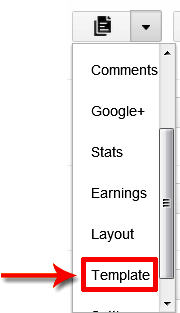
- Now click on the drop down menu and choose Template.
- Press Backup/Restore button located at the top right corner.
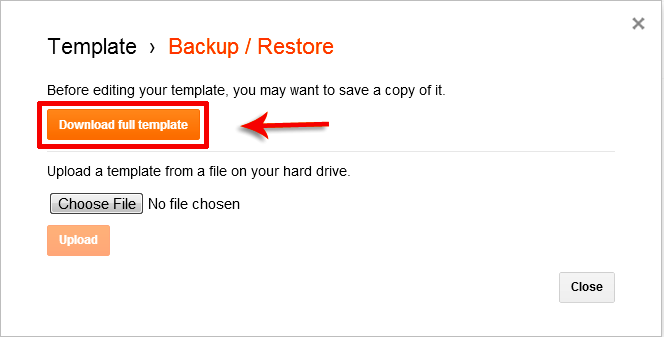
- First you should download your existing template as a backup. So, click on “Download full template” button.
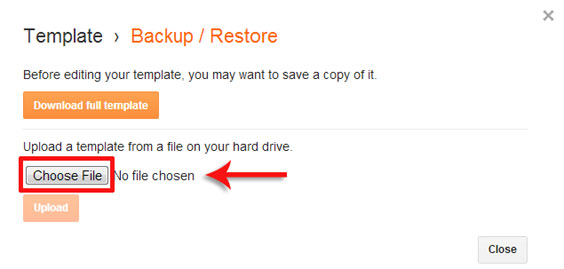
- Now click on Choose File button and choose your new template which you want to apply to your blog.
- Once you select your template, simply click on Upload button for final step.
- You are done!

EnjOy..:)
Bugs Of Techn0l0gy


